Laser engraver wattage: the watts that count
Read the optical watts, then size them to the thickest sheet you cut. On Creality's own ratings a 10W optical diode cuts 6mm of basswood in one pass, 20W cuts 10mm and 40W cuts 20mm, while 60W adds only 2mm more. Creality and OMTech both send clear acrylic to a CO2 laser, and cutting bare metal past foil thickness is 1064nm fiber work, whatever the diode wattage.
The biggest number on a diode listing is often not laser light. Creality's spec table gives the Falcon A1 an optical power of 10W and a machine power of 120W, and the Amazon title for the same machine also claims 80W Powerful Output. Only the optical figure reaches the wood.
What decides it, in order
Work down these. Each one narrows the answer, and the first is the one most buying guides skip.
What goes under the beam?
Material absorption depends on the laser's wavelength, so the material picks the laser type before any wattage is worth comparing.
- Wood, leather, card or dark acrylic
- A blue diode near 450nm handles all of these, and the rest of this chain is about how many optical watts it needs.
- Clear acrylic
- Creality says a blue beam usually passes through clear acrylic, and OMTech says it passes straight through clear materials. Both send this job to a CO2 laser.
- Glass
- Creality lists glass with a coating for its 10W diode, and its Falcon2 Pro manual says to apply anti-reflective material first. OMTech says its CO2 etches glass and cannot cut through it.
- Bare stainless, aluminum or brass
- Creality lists stainless among the plain 10W diode's materials and rates its blue diodes through stainless foil only. Deep engraving, the wider run of bare metals and anything past foil is 1064nm work, on a fiber laser or, for engraving, an IR module.
Is the listed wattage optical power?
Opt Lasers counts five things a laser wattage can be, from optical output to a number in a model name, and only optical output is light.
- The spec table says optical power
- Compare this figure and nothing else. Creality prints it beside machine power on its Falcon A1 and Falcon2 Pro spec tables.
- Only machine power or a headline output figure
- Treat it as not optical. Creality's Falcon2 Pro lists 240W of machine power for its 40W optical head.
- Only a wattage in the model name
- Find the spec table before comparing anything. A model name is a label until the maker says it is optical.
Engrave, or cut through?
Engraving detail depends on the focused spot more than the power, while cutting depth climbs with optical watts.
- Engrave only
- 10W optical is enough. Extra watts mostly buy speed over large filled areas, by Opt Lasers' account.
- Engrave, and cut thin sheet
- 10W cuts 6mm of basswood on Creality's rating and 8mm on xTool's, so a 10W covers ornaments, signs and boxes.
- Cut thick stock regularly
- Go to the next question and buy for the thickest sheet, because that is the only job where the watts scale.
How thick is your thickest sheet?
Creality's one-pass ratings across one head family show where extra optical watts stop paying for themselves.
- Up to 10mm basswood
- A 20W or 22W head, which Creality rates at 10mm in one pass. This is the 10W to 20W step that matters.
- Up to 20mm basswood
- A 40W head, rated at 20mm in one pass. The jump from 22W to 40W doubles the rating.
- Past 20mm
- The 60W adds 2mm of basswood on Creality's numbers and no more acrylic than the 40W, 30mm in both cases, with a wider spot, and nothing in that table is rated past 22mm. Weigh that before paying for it.
Ten watts of light. Creality's spec table gives its Falcon A1 an optical power of 10W and a machine power of 120W, and the Amazon title for the same machine adds "80W Powerful Output" right after the 10W. Three numbers for one laser, and only the smallest one burns wood. Laser engraver wattage is where every buyer starts, and on a blue diode machine the biggest figure in the listing is usually the one that tells you least.
So before you ask what wattage laser engraver do I need, find out which watts you are reading. After that the answer is short. Engraving wants 10W of optical power, more if you want it faster. Cutting wants optical watts matched to the thickest sheet you cut, and 40W is where the returns flatten. Clear acrylic and bare metal mostly sit outside the diode question, because the wavelength is wrong for them. The chain above runs those steps in order, and the laser engraver picks carry the same reasoning into named machines.
Optical power vs electrical power
Opt Lasers, which builds diode laser heads, counts five different things a wattage can mean: optical output power, electrical input power, maximum power consumption, the power supply's rating, and a number that is simply part of a model name. Only the first one is light. Input and consumption are what the machine draws, and a supply rating or a model-name number is a label until the maker says it is optical.
The gap between them is not small. Opt Lasers' own 45 W head is rated at 45 W maximum optical power and 170 W maximum consumption. Its older documentation listed hobby upgrades sold as 20 W electrical systems at roughly 5 to 5.5 W of optical power, which is a quarter of the advertised figure. Creality says the same about its own market in its buyer's guide to 40W lasers: many brands advertise machine power, which is electrical input, and what matters for cutting and engraving is optical output.
Creality's Falcon2 Pro comparison table is the cleanest illustration you will find, because it prints both columns for three heads. The 22W head is listed at 120W of machine power, the 40W at 240W and the 60W at 360W. Machine power does not even rank lasers reliably. The Falcon A1 and the Falcon2 Pro 22W both list 120W of machine power, and one of them emits more than twice the light of the other.
On a listing that prints only one number, look for the words "optical power". If they are missing, the figure is a headline until a spec table says otherwise.
Laser engraver 10W vs 20W: engraving barely needs the watts
For surface engraving, power is the smaller half of it. Opt Lasers sells two 6 W heads for different jobs: one built around a very small focused spot for photographs and small text, the other for general engraving. It says a 6 W laser with a small spot can beat a much more powerful head on fine work. More watts buy speed over large filled areas and deeper marks. They do not buy detail.
Creality builds the same lesson into its biggest diode. The Falcon2 Pro 60W has a Precise mode that caps the light at 22W, and Creality's manual says that mode gives a more delicate engraving and a smaller cutting gap.
That settles most of the laser engraver 10W vs 20W question. Weighing it against a 40W, Creality's own guide says a 20W may already feel like enough if you mostly engrave thin materials, and Opt Lasers' point about filled areas says what the step from 10W buys you: time. Where the two split is cutting. On Creality's A1 pair the step is 6mm of basswood in one pass at 10W against 10mm at 20W, and 5mm of black acrylic against 8mm. xTool rates its M2 at 8mm of basswood with the 10W head and 10mm with the 20W, so two makers' 10W ratings sit 2mm apart on the same wood. Read any cut figure as that brand's own test. The xTool M2 10W we wrote up is a fair example of a 10W machine bought for engraving with thin cuts on the side.
How thick you cut sets the watts
Cutting is where optical watts earn their keep. Creality's Falcon2 Pro table, one pass each through basswood: 10mm at 22W, 20mm at 40W, 22mm at 60W. The 40W and 60W heads share one acrylic rating, 30mm, which the 60W page specifies as black acrylic.
Look at the shape of that ladder.
Going from 22W to 40W doubles the basswood rating, and going from 40W to 60W adds 2mm. So the laser engraver 20W vs 40W question has a real answer for anyone cutting thick sheet, while the 40W vs 60W question mostly does not.
Part of the reason is in the same table. A diode head this powerful gets there by combining emitters, and Creality's page says twelve 5.5W lasers are combined into 60W. Combined beams make a bigger spot, and Creality lists it growing with the power, from 0.080.1mm on the 22W head to 0.080.15mm on the 60W, which spreads the light over more wood. Maker Hacks, testing the 60W, put both the bigger dot and the modest gain over the 40W down to combining emitters. The same tester also shows what a one-pass rating costs in time: its 60W got through quarter-inch plywood at full power only once the speed came down to 10 mm/sec.
If the extra 2mm is not a job you have, the Falcon2 Pro 60W review is the place to read what else the bigger head costs you in focus and controls.
Laser engraver wattage for metal is the wrong question
More blue watts buy thicker foil, not metal cutting.
Creality's guide says diode lasers generally cannot cut bare metal, and that some mark metal with sprays or coatings, which is not the same as cutting it. Its product pages draw the line more finely. The plain 10W Falcon A1 lists stainless among its materials, while Creality's comparison table keeps "Pure Metal" for the A1 Pro with its IR module. The cut ratings stop at stainless foil: 0.04mm at 20W, 0.15mm of metal sheet at 40W and 0.2mm at 60W. The high-power blue diodes run around 450nm, and the fiber lasers sold for metal run at 1064nm.
The machines say so themselves. Creality sells a swappable 2W IR module at 1064nm for the 20W Falcon A1 Pro and pitches it for fine engraving on metals and plastics. Two watts at the right wavelength is its answer to the wider run of bare metals, ahead of twenty at the wrong one. Tom's Hardware made the same point about the xTool M2, suggesting buyers with metal projects add the 3W IR head. For more than engraving, a fiber machine: ComMarker rates its 50W B4 for deep engraving and light metal cutting, and its manual lists stainless steel, aluminum and brass among the metals. It runs both ways, too. TechRadar found the 20W ComMarker B4 fiber laser engraves most metals but not wood unless the wood is prepared first. Pick the material first and the laser type follows.
CO2 vs diode: equal watts, different light
Optical watts are comparable across laser types, and the results still are not. Opt Lasers puts it plainly: 45 W of optical output is 45 W whatever the source, but wavelength, spot and material absorption mean equal power does not guarantee equal processing. A CO2 tube's rating is normally optical too, and by Opt Lasers' arithmetic, at a tube efficiency of about 6 to 7 percent, a 60 W tube draws roughly 860 to 1,000 W at the tube to make it.
Clear acrylic is where co2 vs diode settles itself. Creality says a blue beam usually passes through clear acrylic instead of being absorbed, and OMTech says the same of clear materials generally. The GoLaserGo team, who had run diode lasers for a while, reported zero success with clear acrylic on them before their OMTech K40+ engraved it with no paint and no masking. OMTech rates the K40+ at 3 mm of acrylic or basswood, less than Creality claims for a 10W diode on basswood, and that comparison tells you about two brands' test conditions and nothing about either laser. Neither maker rates its laser to cut through glass. Creality's Falcon2 Pro manual says a diode can engrave it once anti-reflective material goes on the surface, and OMTech says its CO2 etches glass and cannot cut through it.
Maker Hacks called the 60W diode "not comparable to what you would see with 60W of CO2 power".
When more watts is the wrong buy
If what you make is names on cutting boards, photos on wood, leather patches and the odd 3mm plywood ornament, a 10W optical machine does all of it. A bigger diode head mostly adds a wider spot you will turn down for fine work anyway. Creality's own 60W does that in its Precise mode. Spend instead on the things the cut chart ignores: the air assist Opt Lasers lists among what decides cutting performance, a bed big enough for your sheet, and an exhaust path out of the room. Those change what you can make. Watts past your thickest sheet do not.
Questions people actually ask
- Is a 40W laser engraver really 40 watts?
- Only when the spec says optical power. Creality's own buyer's guide warns that many brands advertise machine power, which is electrical input. Its Falcon2 Pro 40W is 40W optical, and the same table lists 240W of machine power for it. The guide also says a laser sold as 40W-class often delivers 20W to 33W of optical output.
- Can a 20W diode laser cut metal?
- Only foil. Creality rates its 20W Falcon A1 Pro through 0.04mm stainless sheet, and its guide says diode lasers generally cannot cut bare metal. Creality does list stainless among the plain 10W Falcon A1 materials, but for the wider run of bare metals it points to the 2W IR module it sells for the A1 Pro at 1064nm, pitched for fine engraving on metals and plastics. Deep engraving and light metal cutting are fiber laser work.
- Is a 60W diode laser better than a 40W?
- For cutting, by a little. Creality rates the Falcon2 Pro 60W at 22mm of basswood in one pass against 20mm for the 40W, and gives both 30mm of acrylic, black acrylic on the 60W page. Its spot is also wider, 0.08*0.15mm against 0.08*0.12mm.
What that lands on
Machines that satisfy the chain above. The condition is on each one, because a machine that is right for one answer is wrong for another.
We earn a commission on qualifying purchases through the links here, at no cost to you. It never decides what makes the list.
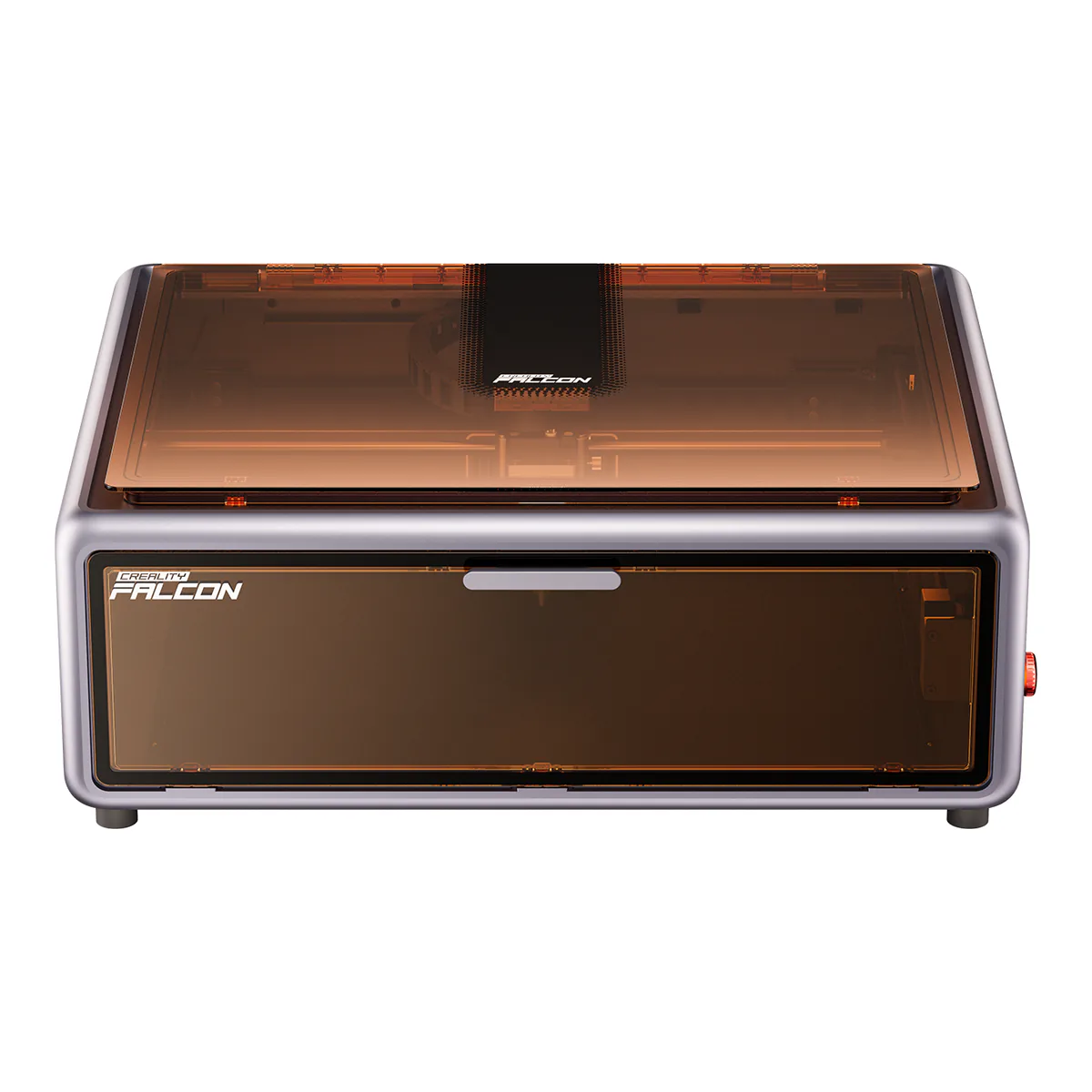
Creality Falcon A1 10W
Right when you mostly engrave wood and leather and cut thin sheet. Creality rates it at 6mm basswood and 5mm black acrylic in one pass, on 10W of optical power, whatever its listing headline says.
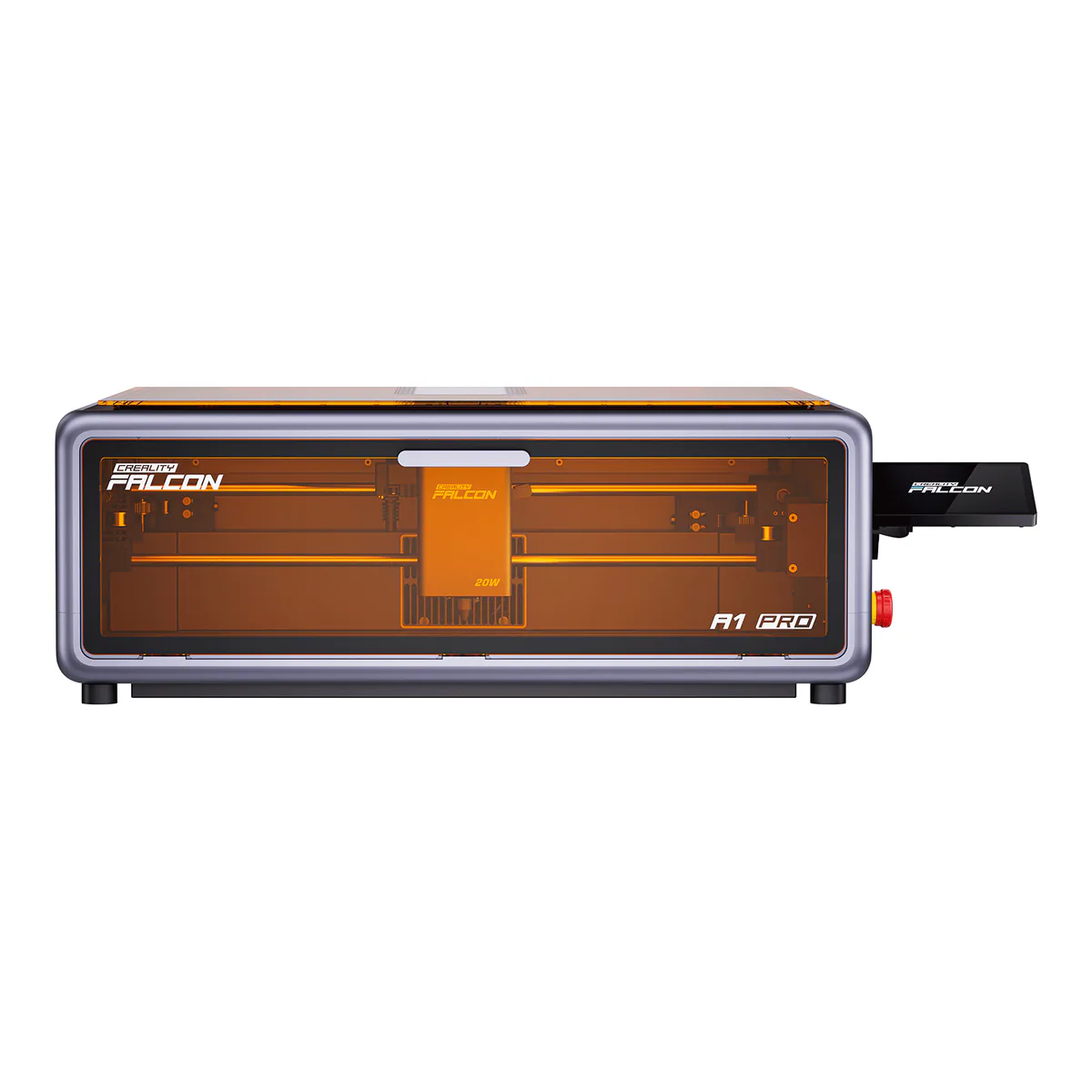
Creality Falcon A1 Pro 20W
Right when you cut up to 10mm basswood or 8mm black acrylic in one pass, or want to engrave bare metal later. Its carriage takes the optional 2W IR module at 1064nm.
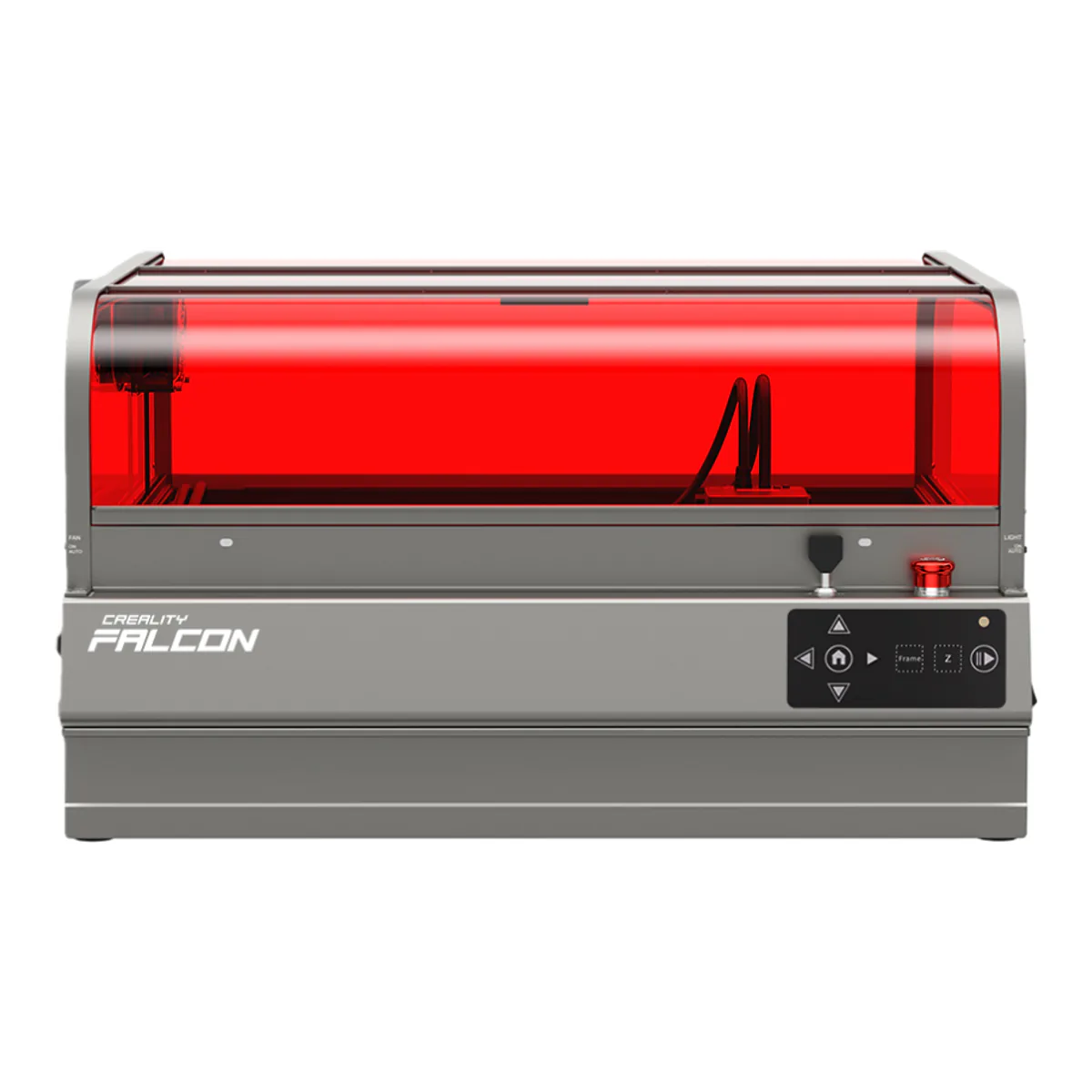
Creality Falcon2 Pro S 40W
Right when your thickest sheet is 20mm basswood. This is the Falcon2 Pro S, a separate machine from the Falcon2 Pro table above, and Creality rates it through 20mm in one pass on its own page.
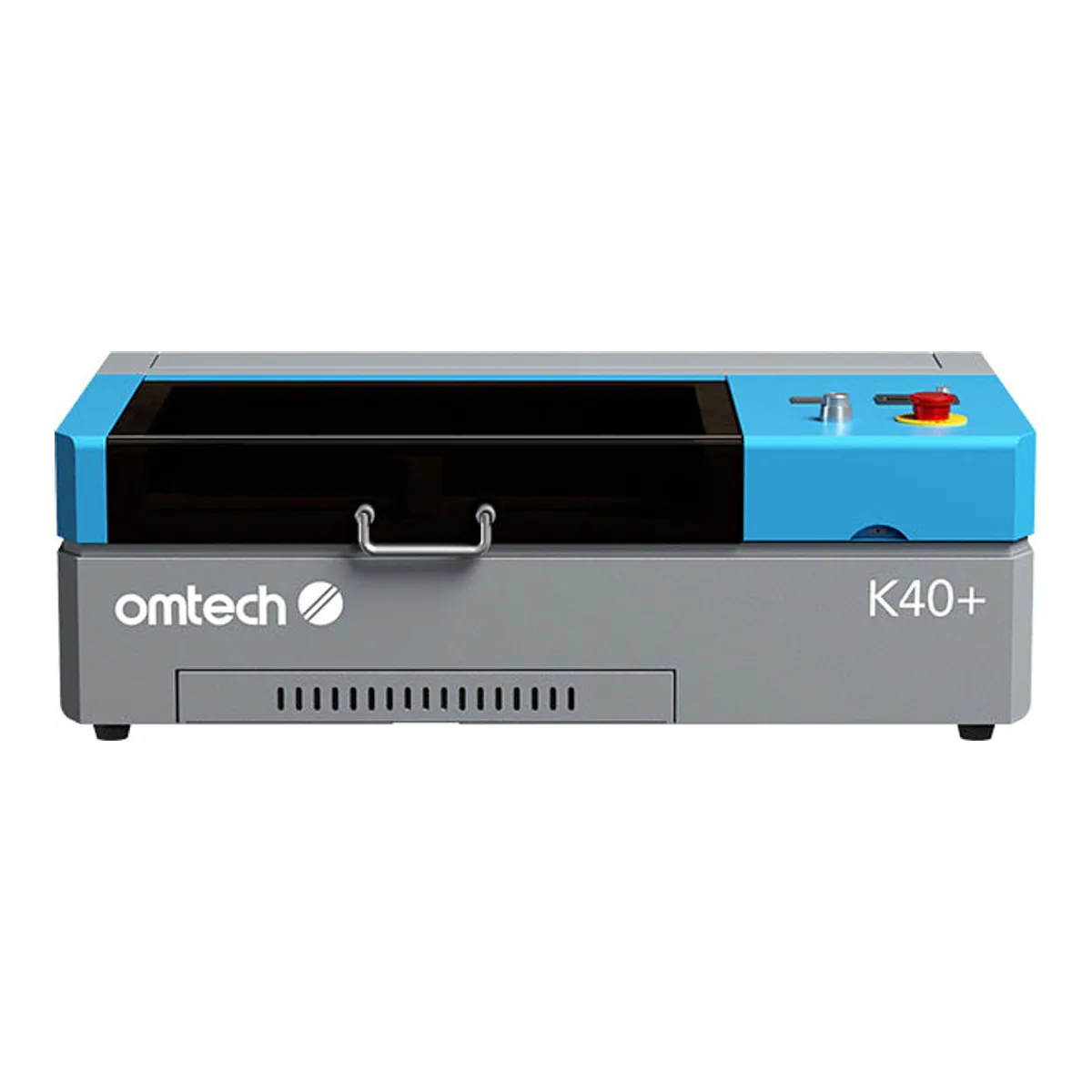
OMTech K40+ 45W
Right when the job is clear acrylic, which OMTech says a blue diode passes straight through. Its CO2 tube runs at 10640 nm and OMTech rates the cut at 3 mm of acrylic or basswood, so buy it for the clear sheet and not for thick stock.
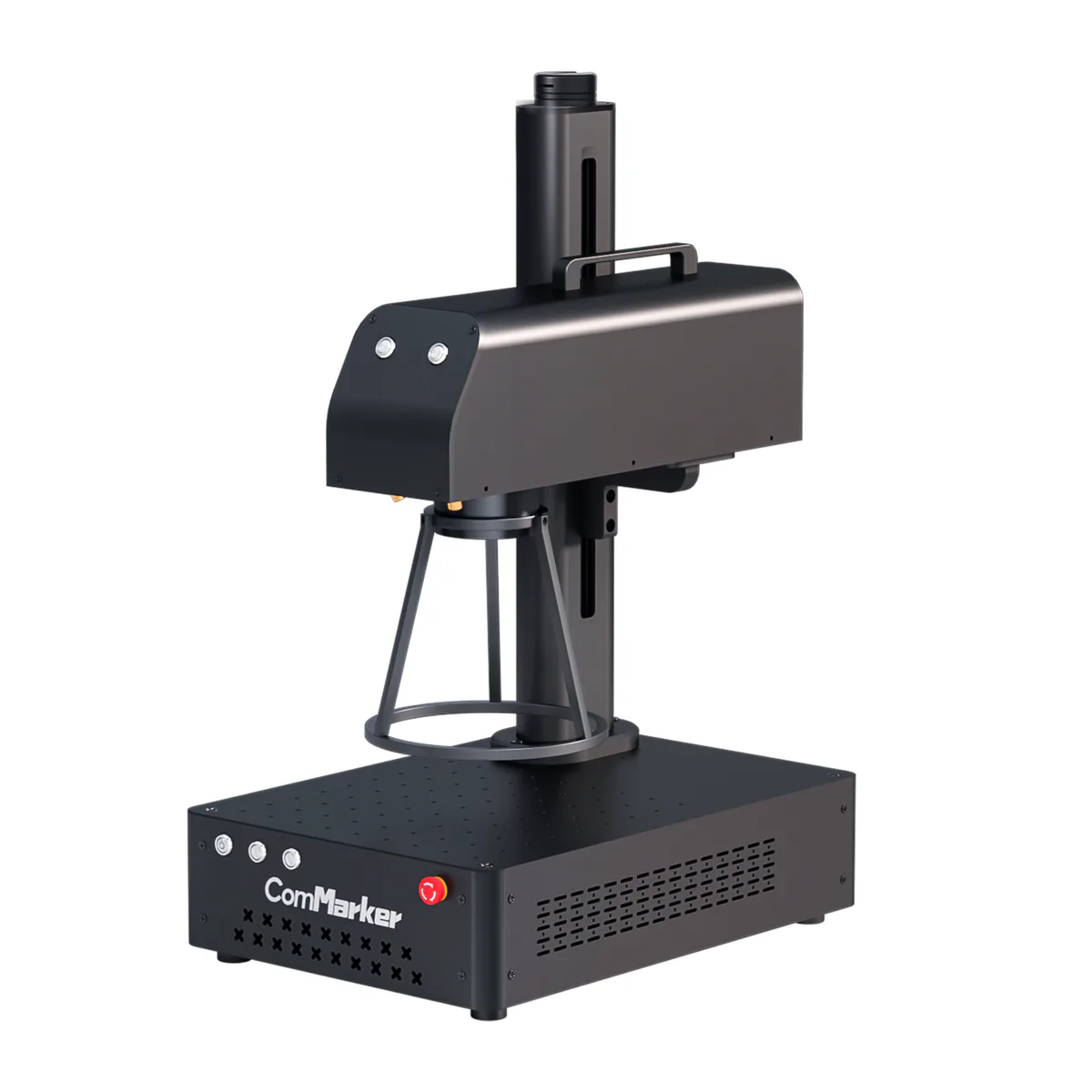
ComMarker B4 50W
Right when the material is bare metal. A 1064nm fiber laser that ComMarker rates for marking, deep engraving and light metal cutting, and no wood machine: TechRadar found the 20W version would not engrave wood without preparation.