Creality Falcon2 Pro 60W review: deep cuts, manual focus
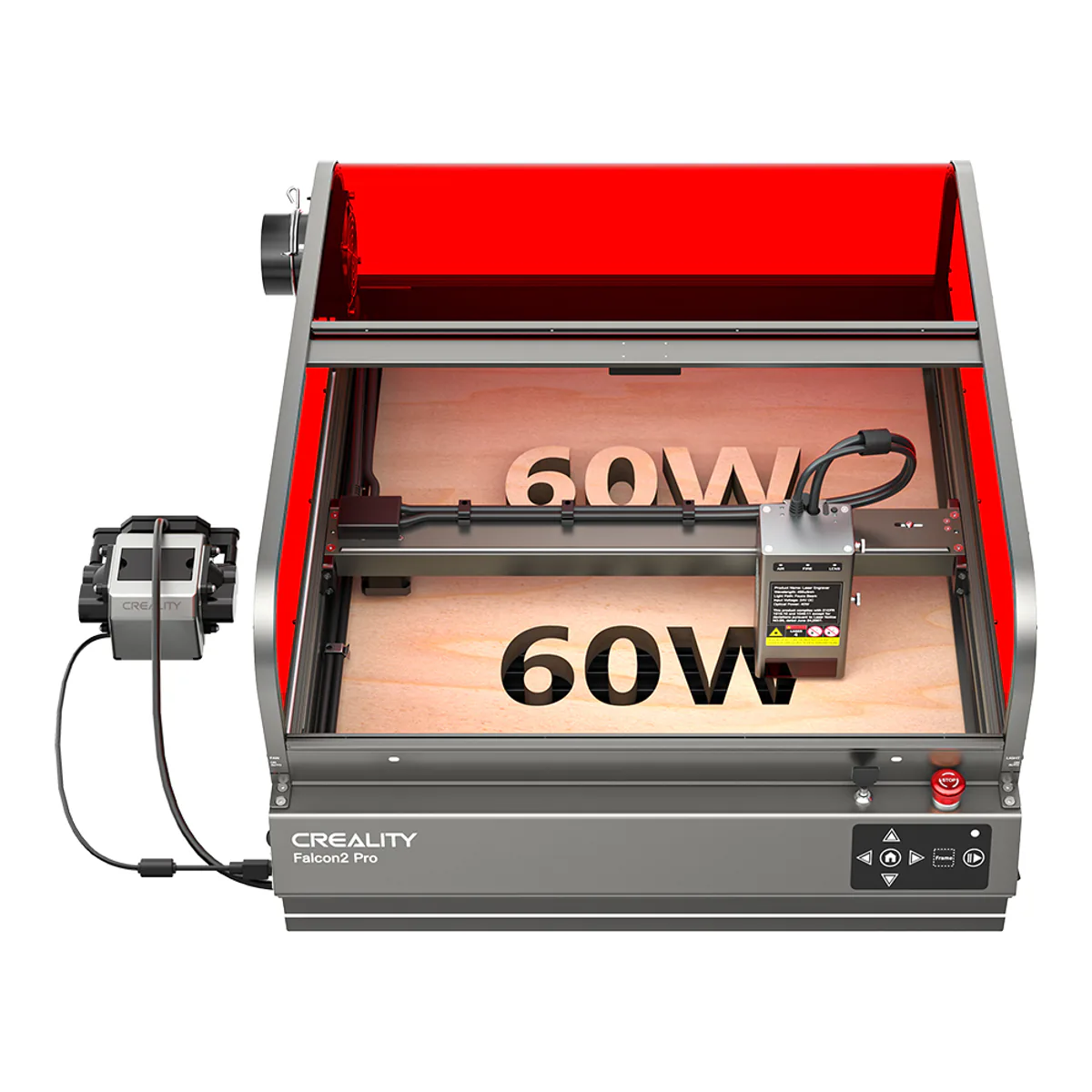
The enclosed diode to buy for cutting thick wood: 60W of optical output over a 400 x 400 mm bed, Class 1 with the lid shut, and airflow, flame and lens monitoring on the head. Focus is a manual block, the camera takes patience to calibrate, and Tom's Hardware saw laser light through its thin side panels at full power.
- Optical Power 60W, Machine Power (MAX) 360W, switchable to 40W or 22W
- 22mm basswood in one pass, 30mm black acrylic in one pass, 0.2mm metal sheet in one pass
- Working area of 15.75 x 15.75 inches (400 x 400mm)
- Laser Class 1 (FDA), with a lid-open safety stop
- Airflow, flame and lens monitoring
- Software: LightBurn, LaserGRBL and Falcon Design Space
We earn a commission on qualifying purchases through the links here, at no cost to you. It never decides what makes the list.
Sixty watts is the headline figure, and Creality is careful about which sixty. Its spec table lists optical power and machine power as separate rows, 60W and 360W, so the 60W is light reaching the work, built from twelve 5.5W lasers combined. Maker Hacks had seen no other enclosed desktop unit with that much power. The Creality Falcon2 Pro 60W is an enclosed diode laser cutter for thick wood first, and it holds the wood slot on our laser engraver shortlist.
It is still a 60W diode laser, not a CO2 tube. Chris Garrett at Maker Hacks, testing a review unit, warns that a combined beam means "the dot size of the laser in 60W is chonkier than you might be hoping for", and that the step up from the Falcon2 Pro 40W "is not as huge as we would like".
For this review we read Creality's spec table and wiki manual, two hands-on tests of the 60W (Tom's Hardware and Maker Hacks), a John's Tech Blog review of the 22W for the shared chassis, and the owner comment under Tom's review and the comments under seven YouTube videos about the 60W. Five commenters say they own a Falcon2 Pro. One names the 60W outright, and two more own the machine the thread under them is about.
Optical power, and the three modes
The head runs at three settings. Creality's product page says the beam adjusts through software or on the machine, and its manual has you long press the module's Reset button to cycle Precise 22W, Normal 40W and Powerful 60W, shown by one, two or three lights. Garrett switched it on the module and would have liked that control in software.
For detail work Creality bundles a separate 1.6W module on its own store, and both hands-on testers got one. The Amazon listing title names the 60W laser only, so confirm the box contents on the listing before counting on it.
Work area
A 400 x 400 mm bed, which Creality also writes as 15.75 x 15.75 inches, over removable slats and a pull-out debris drawer. Tom's Hardware found the slats wobbly enough to distort its first test engraving, and printed stabilizers to fix them. The owner commenting under that review has seen none of it and suspects the tester's bench. Garrett adds that finely cut pieces fall through.
The drawer cannot double as a pass-through for a taller piece either, because the head has no Z movement to clear it. Creality sells risers for larger objects.
What the Creality Falcon2 Pro 60W cuts
Creality rates it for 22mm basswood, 30mm black acrylic and a 0.2mm stainless steel sheet, each in one pass.
The testers got close on wood, slowly. Maker Hacks cut three-quarter-inch plywood in a single pass at 2 mm/sec and 100% power, with very careful focusing, and found quarter-inch plywood needed 10 mm/sec or below to go through in one. Tom's Hardware cut a 3mm walnut ornament in 47 seconds at 850mm/min, and 28 snowflakes from 3mm basswood plywood in 15 minutes. The owner under Tom's review cut a circle out of three-quarter-inch solid white oak in two passes. Denser and thicker stock was where Garrett stopped, since all it did was set off the smoke and fire detection.
Creality lists stainless steel among its engraving materials and states no marking depth for bare metal, so a metal shop wants a fiber laser.
Focus is a block and two thumbscrews
There is no autofocus. You wedge a small block under the module and tighten thumbscrews, and Garrett found that "as soon as you pull out the block the whole thing sags, throwing off your focus anyway." His best cuts depended on focus, so this is the habit to build first.
Enclosure
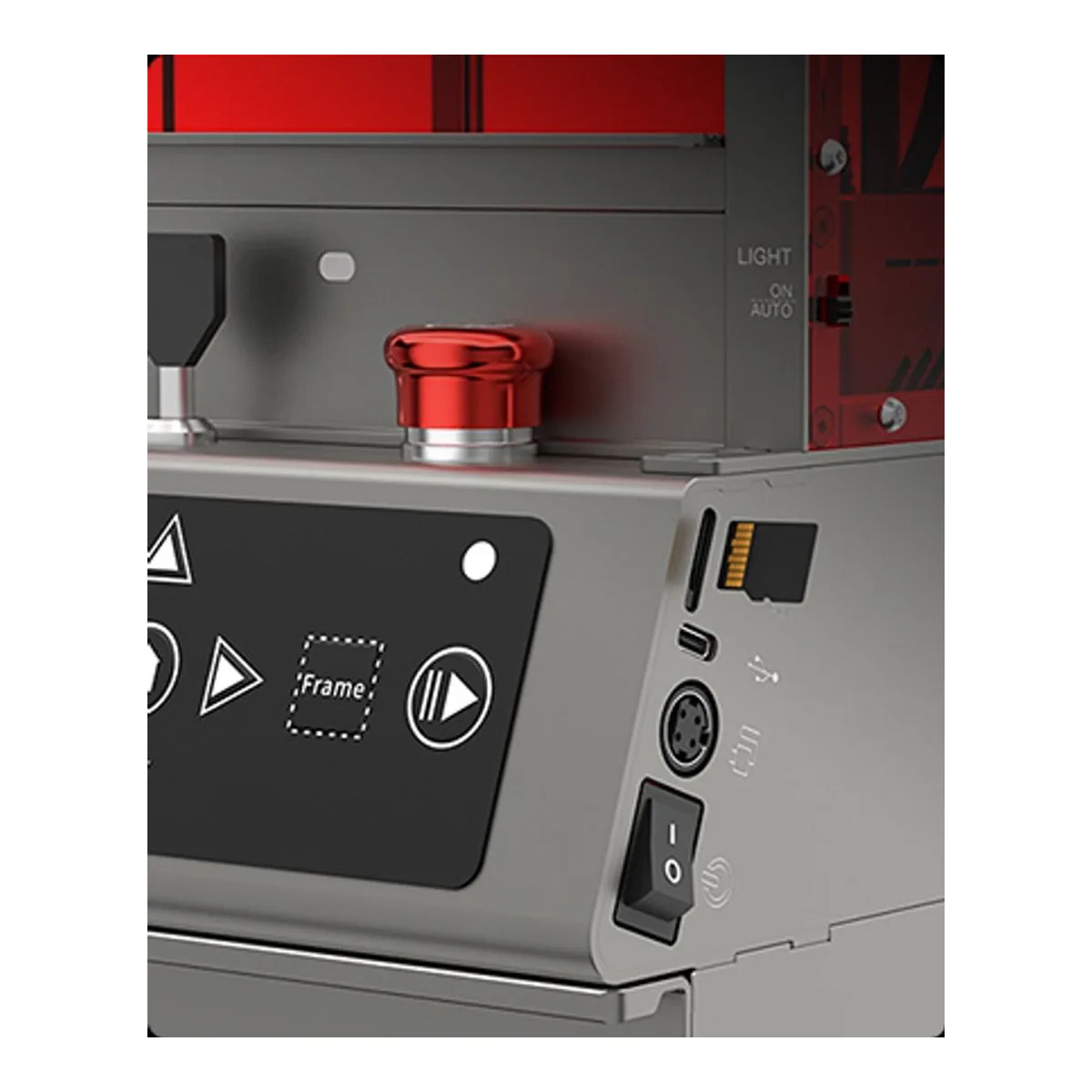
FDA Class 1, with a magnetic interlock on the lid, a keyed power switch and an E-Stop. The manual's ERROR:24 stops the machine while the cover or drawer is open.
Tom's Hardware found two leaks. Laser light escaped through an unfilled hole where the camera's USB-C cable plugs in, and at full power "a slight blue glow can be seen clearly through the 2.7mm acrylic panels on the side". The included goggles filtered it out, and Creality's manual tells you to wear goggles anyway. Tom's also found the panels thin and easily bent. The owner under that review has seen no leakage, because the head is shrouded and close to the work.
Assembly took Tom's just under an hour, against Creality's promise of 10 minutes from unpacking. That owner found the enclosure assembly "a serious PITA", Garrett's springy cover kept popping out as he fitted it, and on the 22W John's Tech Blog needed many tries to seat the red acrylic.
Fume extraction
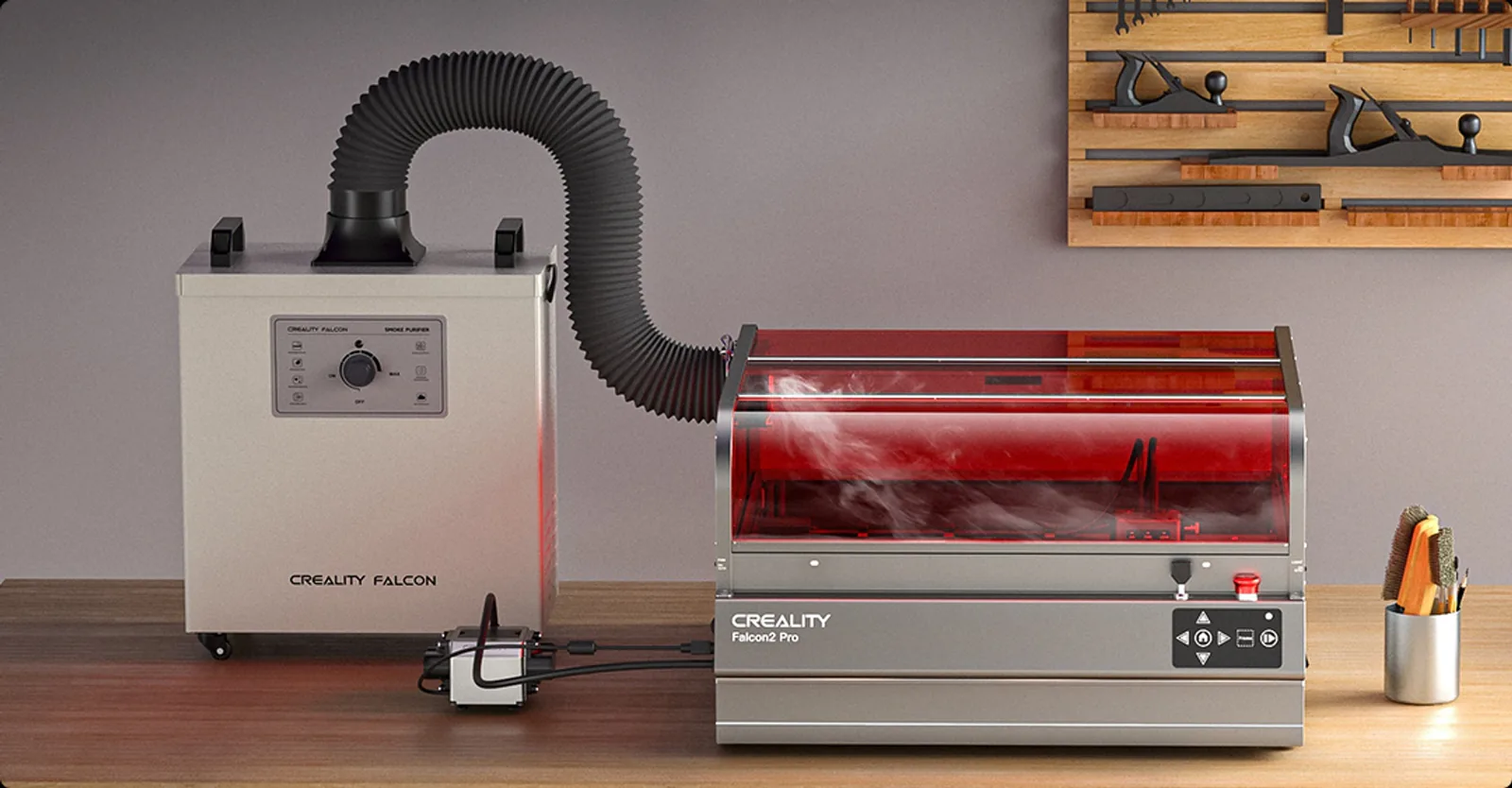
A built-in fan and an exhaust port. Creality's purifier is a separate purchase, which Tom's lists at a rated airflow of 310 m³/h. The head watches airflow, flame and the lens, and the manual says to connect the silicone air tube whether or not you run air assist, or risk lens contamination. The air assist in the box is a basic aquarium pump, per Garrett. The manual also forbids leaving the machine unattended while it works.
What owners report
The camera is the one problem two owners share. The commenter under Tom's review has yet to get it working accurately in LightBurn. An Italian owner of a 60W, for whom it is a "macchina fenomenale", has lost hours trying to get the camera to capture its calibration targets. Garrett had to swap a USB cable before his computer saw it.
A third 60W owner writes only that they use it daily. The sharpest complaint is about support: one owner, wattage unstated, says theirs "arrived missing essential safety parts and support has been almost nonexistent for over two weeks." Another describes theirs as janky without saying why.
Skip it if this is your first laser, since the xTool M2 10W is built for that, or if you want autofocus, a touchscreen or Wi-Fi.
Software and connections
No screen and no network connection of any kind. Jobs go over USB-C or from a microSD card, which the manual calls a TF card. LightBurn and Creality's own Falcon Design Space run on Windows and Mac, and the free LaserGRBL is Windows only, per Tom's. The camera needs its own USB connection, so you need two USB ports free at the computer to use it. Creality rates black acrylic and Garrett cut dark acrylic, so for clear acrylic or bare metal, look at the CO2 and fiber machines on the rest of the laser engraver and cutter shelf.
A closer look at the Creality Falcon2 Pro 60W
Made up your mind?