Canon imagePROGRAF PRO-310 review: ten inks, 14.4 ml each
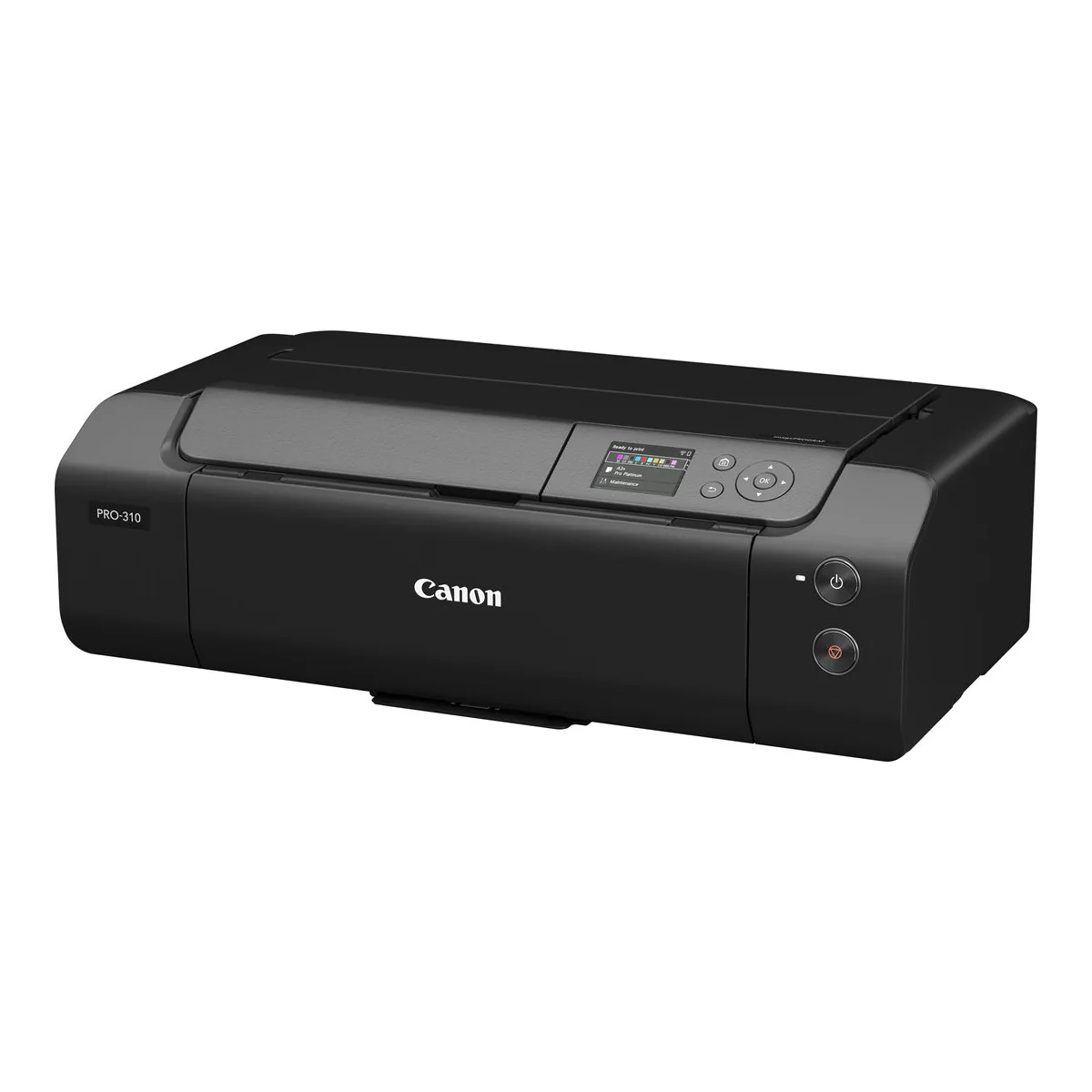
The 13 inch pigment printer to buy if you print on matte and fine art paper and want borderless A3+ from a desk-sized machine. It is a photo printer first: no scanner, documents at one page per minute, and ten small cartridges that all have to be in it.
- 9 Colour Plus Chroma Optimizer, LUCIA PRO II Pigment-based Ink System
- PFI-5100 Inks: 14.4 ml (each)
- Borderless Photo Printing (3.5" x 5" to 13" x 19")
- Manual feed at the rear takes one sheet at a time, from 0.1 to 0.6 mm thick
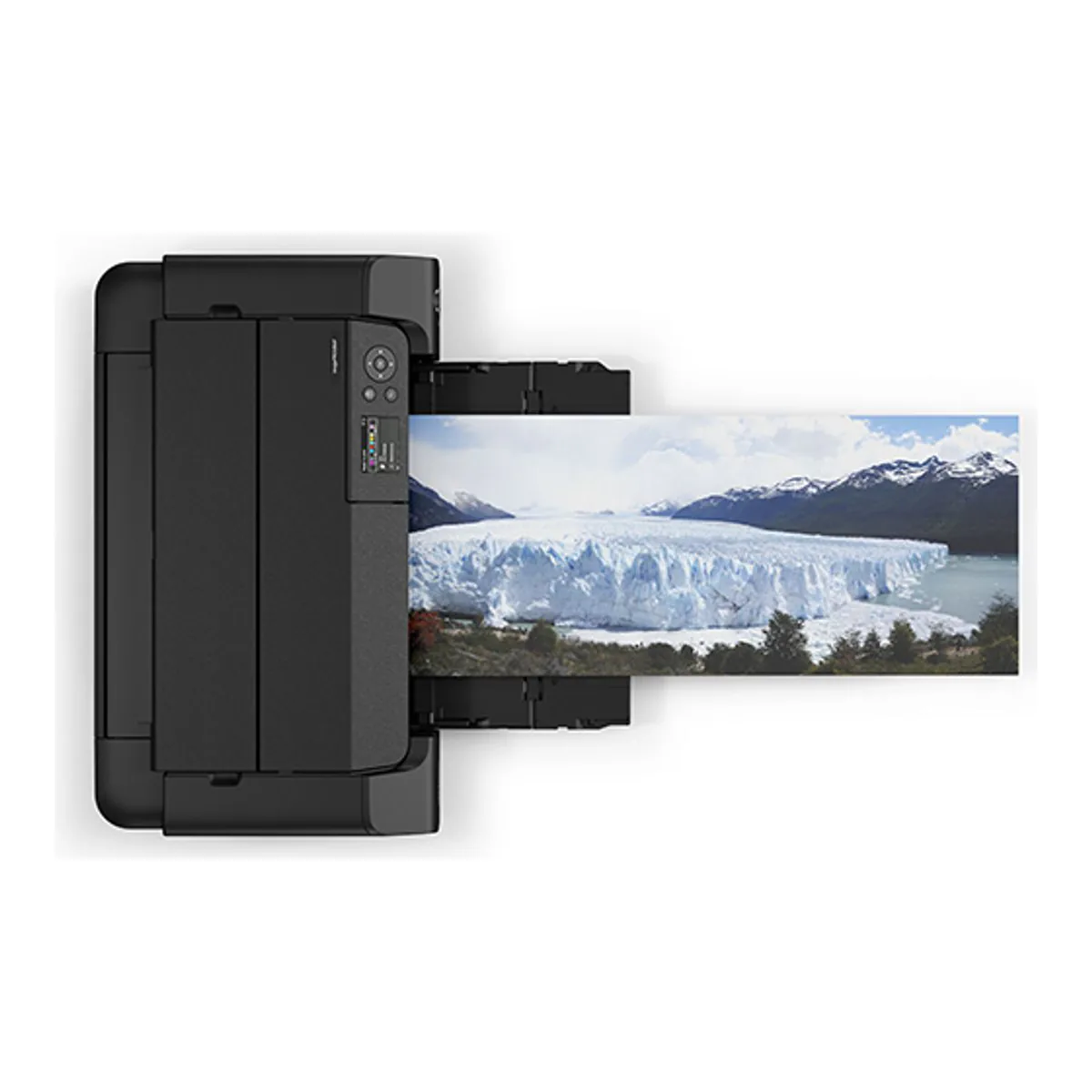
- Prints on long paper lengths up to 1.8 m
- Connects by Hi-Speed USB, Ethernet 10 / 100 and Wi-Fi
We earn a commission on qualifying purchases through the links here, at no cost to you. It never decides what makes the list.
Every cartridge in the Canon imagePROGRAF PRO-310 holds 14.4 ml of ink, and there are ten of them. That one figure explains most of what owners love and most of what puts the rest off. Ten inks are why the prints look the way they do. Small ones are why six commenters under the review videos who do not own one name ink cost, and four of them say it keeps them away.
Behind this Canon PRO-310 review: Canon's specification pages for Canada and Asia and its brochure, hands-on reviews from Digital Camera World, Northlight Images and RTINGS, and the YouTube comments of 17 people who report owning one. It is the pigment photo printer on our photo printer picks, sitting between the dye-based PIXMA PRO-200S and the 17 inch imagePROGRAF PRO-1100 in Canon's line, and it replaces the PRO-300.
Largest print
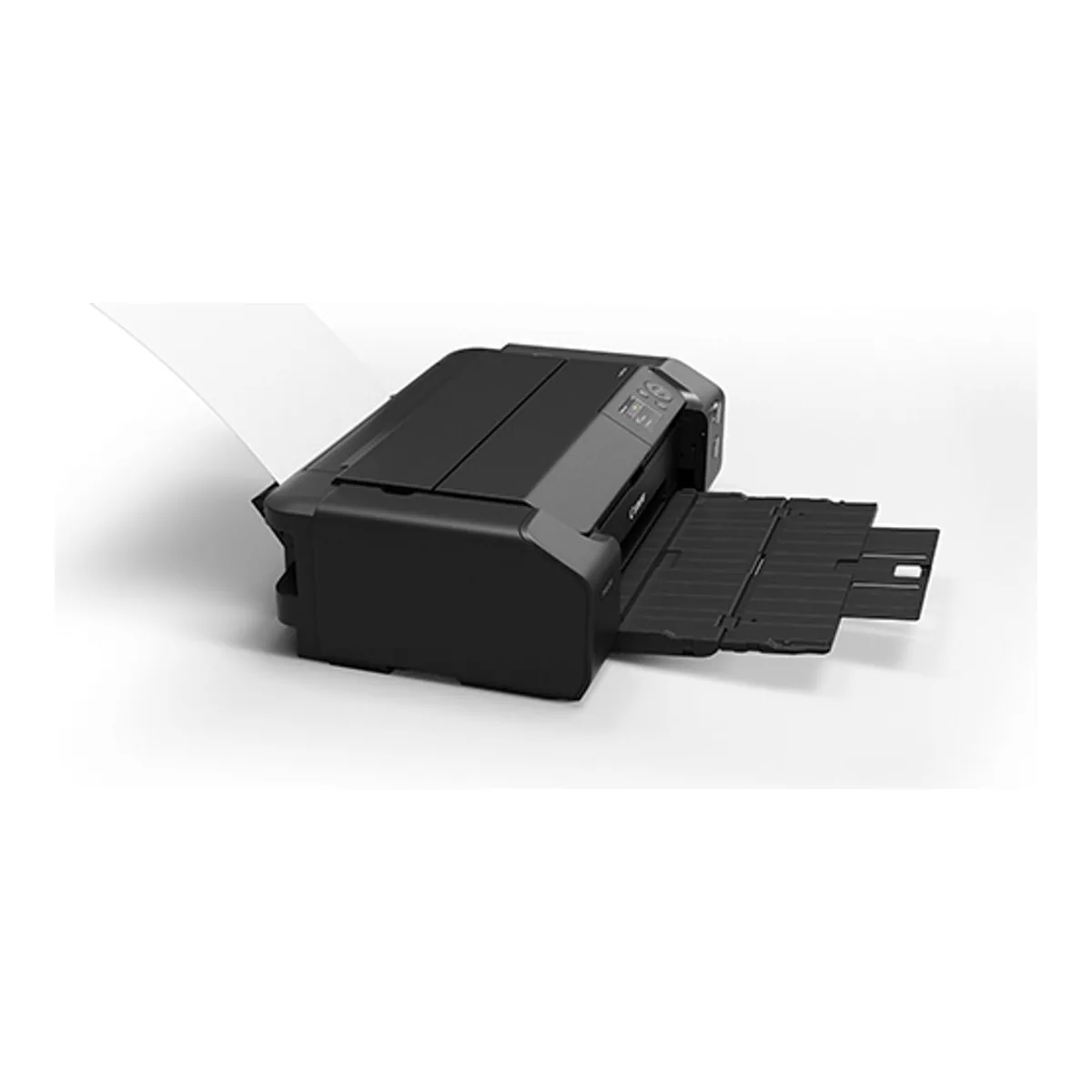
A 13 inch photo printer, borderless from 3.5 x 5 up to 13 x 19 inches. Canon rates it for long paper up to 1.8 m, where Northlight Images notes the PRO-300 stopped at 990mm. Borderless still does not stretch to arbitrary or custom paper sizes, per Northlight, so a custom length panorama gets a margin. Canon's own 210 x 594 mm panorama size is on its borderless list. Two feeds get it there. The top slot takes a stack, and the manual feed at the back takes one sheet at a time, from 0.1 to 0.6 mm thick. Board is out. Northlight found the print path curved enough to refuse board or stiff media, with the rear feed a little more forgiving. A 13 x 19 sheet also needs clear space behind the printer and in front of it. At 25.2 inches wide and 31.6 lbs it wants a desk to itself.
Ink type
Pigment throughout, Canon's LUCIA PRO II set. Digital Camera World explains the trade: pigment is the better ink on matte photo paper and fine art media and lasts longer, and bronzing is its problem on gloss. The Chroma Optimizer is Canon's answer, a clear coat laid over glossy prints. Digital Camera World's verdict covers both: "The PRO-310 creates great-looking glossy prints but, for my money, it really comes into its own on matte photo paper and fine art media".
Canon states its 200 year light resistance figure only for its own Photo Paper Pro Platinum (PT-101), under the JEITA CP-3901B method.
Ink colors
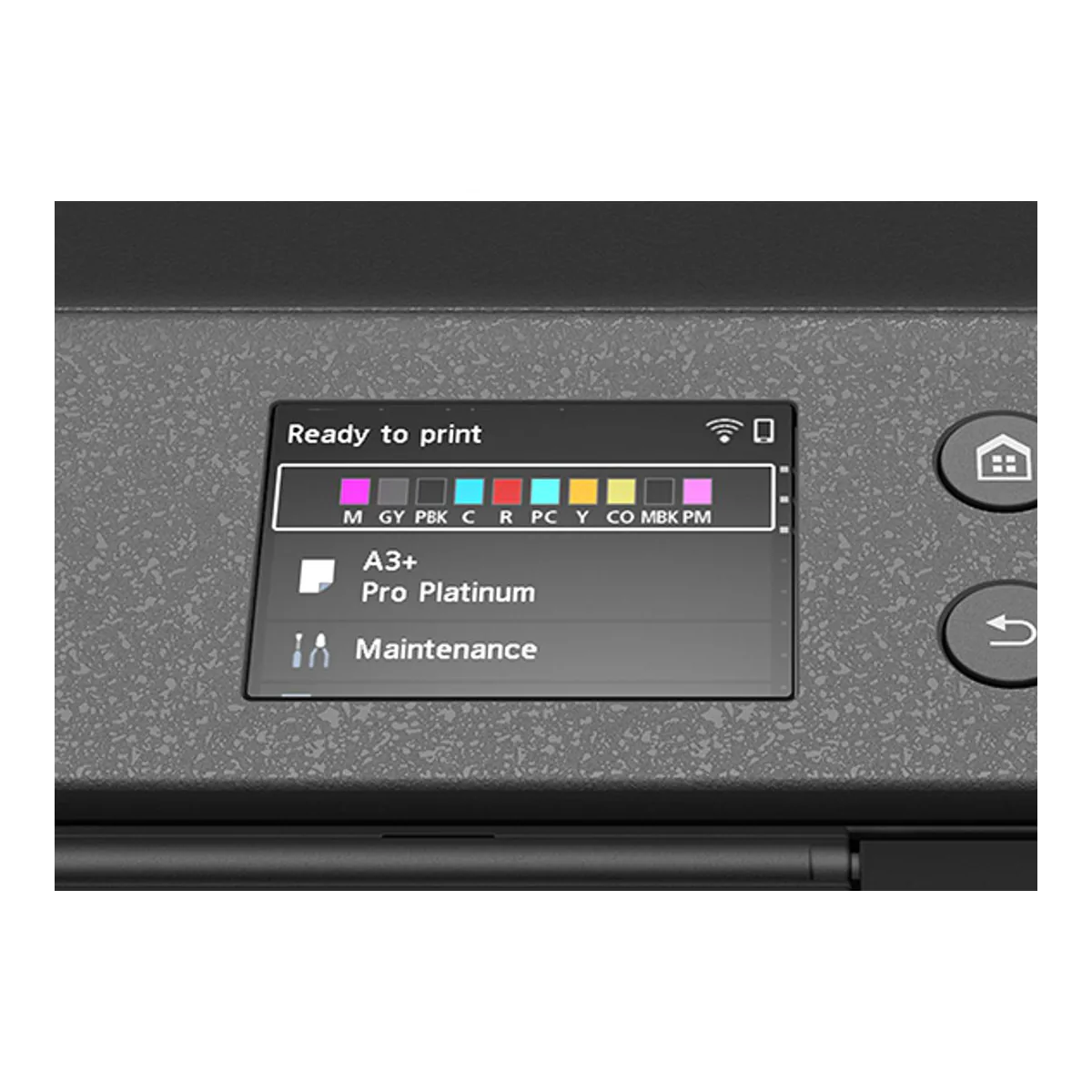
Nine pigment colors plus the Chroma Optimizer: Matte Black, Photo Black, Gray, Cyan, Photo Cyan, Magenta, Photo Magenta, Yellow and Red. They are the PRO-1100's inks, two fewer.
On print quality, the PRO-310 vs PRO-300 difference is small. Northlight profiled papers on both printers side by side and found a larger gamut on the PRO-310 in the magenta and red areas, with black density on Pro Platinum moving from 2.50 to 2.54, which the review calls "an unimportant difference". Side by side under good light, Northlight suspects many could see it; at opposite ends of a room, telling them apart comes close to 50/50. The rest of the upgrade includes handling. Long paper went from 990mm to 1.8 m, Northlight notes borderless now covers more paper sizes, and Digital Camera World says the new inks contain wax against scratches and abrasion, which Canon's brochure scopes to glossy and semi-glossy media. It also names a selective Chroma Optimizer and 5 GHz Wi-Fi Direct, new on this model.
Ink system
Ten PFI-5100 cartridges, and Canon says every one has to be installed, even for a black and white print. Cleaning cycles draw on all of them, and Canon wants each used within six months of opening. Digital Camera World's one real complaint is cartridge size: 14.4ml each, where a Pro-1100 cartridge holds 80ml, which it works out as ink at about twice the cost per milliliter.
Northlight's tester had printed at least 50 to 60 prints before the first cartridge ran out, on the setup set that also primes the head. The review also found no maintenance tank: waste ink collects inside, in a part the owner cannot service.
Its conclusion follows from it: "This is not a printer for commercial levels of use."
No scanner, and slow at documents
RTINGS notes there is no scanner, and it manages "only one document page per minute". Photos are slow too. Digital Camera World timed an A3+ borderless glossy print at 6m 30s in standard quality and 9m 30s in top quality.
RTINGS also warns it can clog if left unused, and says the printheads can be replaced if a clog will not flush. Northlight's experience with the PRO-300, which uses the same print head, was one cleaning after the printer had sat for six months.
Connectivity
Hi-Speed USB, 100BASE-TX Ethernet and Wi-Fi, with AirPrint, Mopria and the Canon PRINT app. Canon Canada's sheet lists dual band Wi-Fi, Canon Asia lists 2.4 GHz outside Taiwan, and Digital Camera World reads 2.4 GHz Wi-Fi plus 5 GHz Wi-Fi Direct. Northlight had occasional slowdowns that "invariably seemed related to wireless connection issues", though it could not test them in detail. It also warns Mac owners off the AirPrint driver, which strips out many printer driver options.
Install Canon's own driver instead.
What Canon imagePROGRAF PRO-310 owners report
Eight of the 17 praise the prints, one a week in: "The colors are accurate, and the images are tack sharp." Three say it is their first photo printer or their first A3 one, among them a photographer who waited five years to buy one. A camera club member printed their first competition images on it and calls them great.
Four are less happy, each about something different. One found the first letter size print took "an aweful amount of time" next to an old PIXMA. A watercolor painter who replaced an Epson finds the colors on their cards now come out off. One misses a touch screen. The fourth has run it more than six months, printing a little over 300 A4 sheets, and worked out the cost per print as, in their words, "incredible high".
What to check before you buy one
Whether you need more than photos. RTINGS finds the Canon the more color accurate of the two, and the Epson EcoTank Photo ET-8550 the more versatile: it refills from bottles, scans, and prints documents considerably faster. Our ET-8550 review covers that side. If photos and fine art are the whole job, the PRO-310 is built for it, and the only question left is how many sheets a month you will feed it. The other printers in the category are on the photo and sublimation printers page.
A closer look at the Canon imagePROGRAF PRO-310
Made up your mind?