Epson EpiqVision Ultra LS800: built for a bright room (V11HA90020)
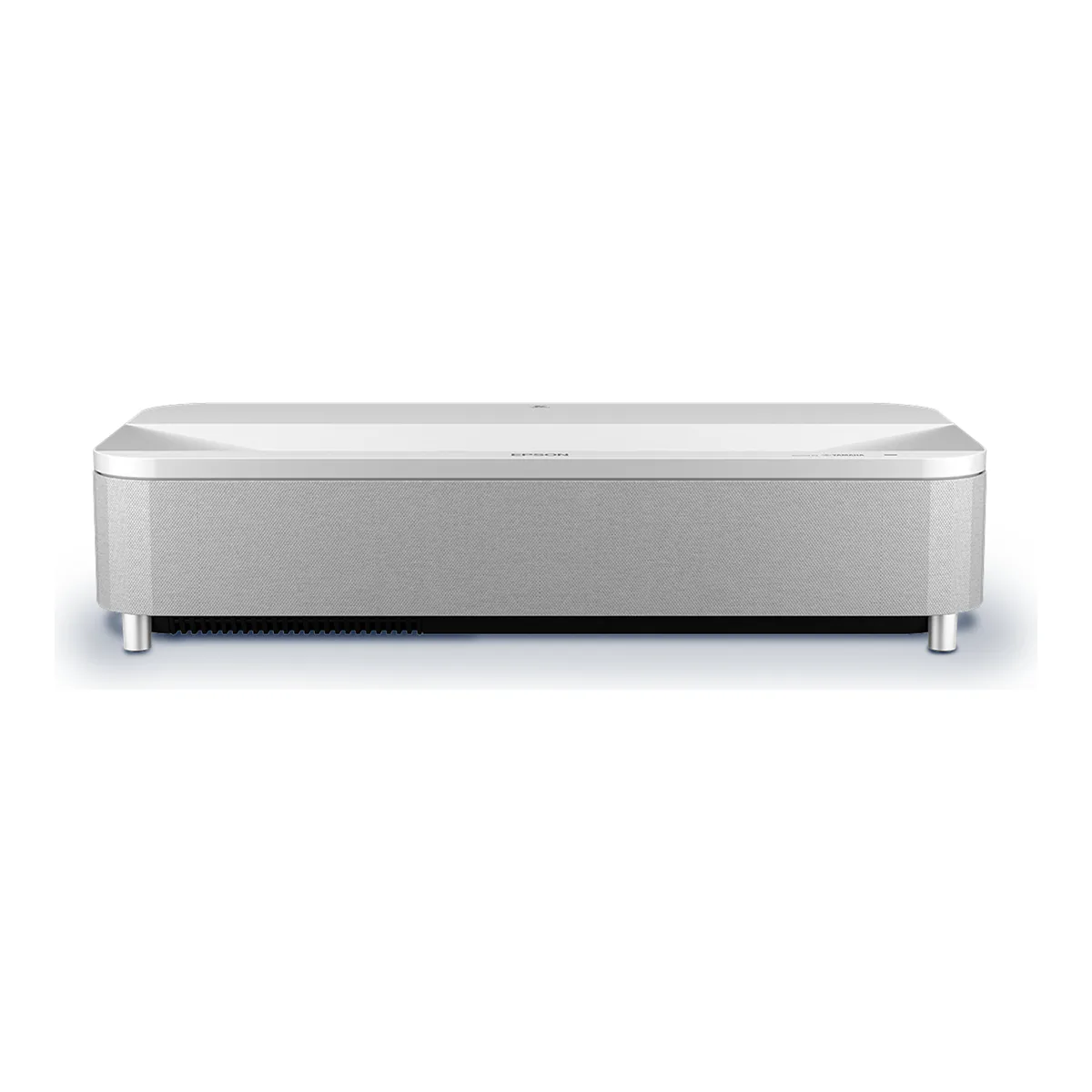
The brightest ultra short throw projector you can buy for a room with the lights on, and a good gaming projector, but its gray-ish blacks, single-laser gamut and missing eARC make it the wrong pick for a dark home theater or a lossless Atmos setup.
- 3-chip 3LCD ultra short-throw design, 4K PRO-UHD by pixel-shift resolution enhancement, at a maximum resolution of 3840 x 2160
- 4,000 lumens of color brightness (IDMS 15.4) and 4,000 lumens of white brightness (ISO 21118), equal because the 3-chip engine outputs color and white light at the same level
- Throw ratio 0.16 to 0.40, so an image up to 150 inches from a few inches off the wall
- Laser diode light source rated up to 20,000 hours in Normal mode
- BT.2020 color gamut, full 10-bit color, HDR10 and HLG
- Three HDMI 2.0 ports at 18 Gbps with HDCP 2.3; one is a dedicated low-lag game port and one carries ARC, not eARC; refresh up to 1080p 120 Hz
- Built-in Yamaha 2.1 audio: two 5 W full-range speakers and one 10 W subwoofer, 20 W total
- Android TV built in, with 2.4 and 5 GHz Wi-Fi (802.11a/b/g/n/ac) and Bluetooth 5.0
- Manual focus slider, F1.8 lens, 2.3 mm focal length
- 27.4 by 6.2 by 13.4 inches including the feet, 27.6 lb; 350 W in Normal mode and 217 W in ECO
- Sold in white (V11HA90020) and black (V11HA90120) with a 2-year limited warranty; Epson SilverFlex ALR screens are available separately in 100 and 120 inch sizes
We earn a commission on qualifying purchases through the links here, at no cost to you. It never decides what makes the list.
Most projectors want the lights off and the shades drawn. The Epson EpiqVision Ultra LS800 does the opposite. It is built to throw a picture across the far end of a living room and stay watchable with the lamps on, and that one priority, brightness ahead of dark room finesse, is the case for it. It is why the LS800 lands in some homes and frustrates people in others.
This Epson LS800 review takes the machine for what it is, whatever the box says. Epson brands it a Laser Projection TV. What you are buying is a very bright ultra short throw laser projector for sports, news, streaming and games, with real trade-offs when the movie is dark and the room is darker. It tops the ultra short throw projector shelf on demand, and it earns that with one number.
Built for the lights, not the dark
Brightness is the headline. Epson rates the LS800 at 4,000 lumens of color and 4,000 lumens of white, and the two figures are equal on purpose: the 3-chip 3LCD engine puts out color and white light at the same level, so bright scenes keep their color instead of washing to a pale glare. ProjectorCentral measured 4,084 ANSI lumens in its brightest mode, a touch over the rating. Among ultra short throw projectors that is class leading. It is also why this one survives a sunlit room where most give up.
Brightness alone does not beat a bright room, though. It needs a screen built to reject the light coming off your windows and ceiling, and that screen gets its own section below. It is not optional.
How close to the wall it sits
The Epson LS800 ultra short throw projector has a 0.16 to 0.40 throw ratio, one of the shortest made. It sits a few inches from the wall on a console and fills an image up to 150 inches. You mount nothing, you run no cable across the ceiling, and you lose no part of the room to the light path.
Placement is still fussy in one way. Focus is a manual slider with no motor, and ultra short throw optics are unforgiving about a projector that does not sit square to the screen, so a small misalignment softens the corners. Once it is set, ProjectorCentral found the lens held focus unusually well across a 120 inch image, which is not a given at this throw.
The picture, and where one laser gives ground
Detail is 4K PRO-UHD, Epson's pixel-shift enhancement on a panel that is not native 4K. On good 4K material it looks sharp. ProjectorCentral noted that 1080p content came across "a bit soft," and that tracks the technology: the sharpening helps, but this is not a native 4K chip.
Color is where a single laser shows its limits. The 3-chip design gives you equal color and white brightness and complete immunity to the rainbow flashes some single-chip projectors throw, which is a real advantage in fast, bright content. But the gamut is narrower than the triple-laser sets it competes with, so HDR does not pop the way it does on those. By default the color is close, not exact, and ProjectorCentral measured an average color error of 4.5, visible to a trained eye and fine to most viewers. Black levels are the weak spot: on a difficult dark scene the black came up "a bit gray," which is normal for a bright single-laser design and part of the price of the light output.
The screen is part of the purchase
Budget for a screen before you budget for the projector.
To use all that brightness with the lights on, the LS800 needs an ambient light rejecting ultra short throw screen, the kind with a sawtooth surface that soaks up overhead light and sends the projector's own image back at you. Epson sells its SilverFlex screens in 100 and 120 inch sizes, and dedicated screen makers build good ones too. Point the projector at a plain white wall in daylight and you throw away most of what you paid for.
Sound, gaming and the ports
The built-in sound is better than a projector usually gives you: a Yamaha 2.1 system, two 5 W speakers and a 10 W subwoofer, 20 W in total, enough to carry a room until you add a soundbar.
Gaming is a real strength. One of the three HDMI ports is a dedicated LS800 gaming input that bypasses the Android TV software, and on it ProjectorCentral measured 22.1 ms of lag at 1080p 60 Hz, 21.0 ms at 4K 60 Hz and 12.3 ms at 1080p 120 Hz. For an ultra short throw that is excellent. Use any other input and the same signals measured 101 to 113 ms, so plug the console into the game port and nowhere else.
The ports are also where the projector shows its age. All three HDMI are 2.0, not 2.1, so there is no 4K 120 Hz for the latest consoles. One port carries ARC but not eARC, which means it cannot pass lossless Dolby Atmos to a soundbar. If Atmos matters, run your streamer straight into the sound system and leave the projector out of the audio path.
Who should skip the Epson EpiqVision Ultra LS800
Skip it if your room is a dedicated dark home theater. There the gray-ish blacks and narrower gamut hold it back, and a triple-laser rival or a step-up Epson will give you a better movie. Skip it if you want lossless Atmos through the projector, because the ARC port cannot carry it. Skip it if you still watch 3D, which the LS800 dropped from the older LS500. And skip it if you calibrate, because Epson left out the color management and white-balance controls its own home theater models include.
One more thing before you buy. It is sold as a Laser Projection TV but has no tuner, the Android TV store has no certified Netflix app, and Normal power mode is, in ProjectorCentral's words, "noticeably loud compared with many USTs." Most people run a quieter mode and add a streaming stick.
The LS800 against its step-up and the triple-laser rivals
If your room is bright and you watch a lot of sports and games, the LS800 is the easy call. If it is dark and you care most about contrast and color, look at the triple-laser sets like the Hisense PX1-PRO or the Formovie Theater, which have about half to two-thirds of the LS800's brightness but a wider gamut and deeper black. The LS800 vs LS11000 question inside Epson's own line comes down to the room: the LS11000 is a long throw home theater projector with HDMI 2.1 and better dark room contrast, but it sits across the room and needs the space the LS800 exists to save.
It holds the bright room slot on our ultra short throw projector picks, read off Epson's spec sheet, the live listing and ProjectorCentral's instrumented test.
Questions people actually ask
- Does the Epson EpiqVision Ultra LS800 need a special screen?
- For a bright room, yes. It needs an ambient light rejecting ultra short throw screen to use its brightness, and on a plain white wall in daylight most of the picture is lost. In a dark room the demands on the screen are far lower.
- Does the Epson LS800 have a TV tuner?
- No. Despite the Laser Projection TV name, there is no over-the-air tuner. It runs Android TV for streaming apps, and you add a cable box or a streaming stick over HDMI for live channels.
- Is the LS800 good for gaming?
- Yes, on the right port. Its dedicated game input measured about 21 to 22 ms of lag at 60 Hz and 12.3 ms at 1080p 120 Hz in ProjectorCentral's test. It has no 4K 120 Hz, though, because the HDMI ports are 2.0.
Made up your mind?