Best mini PC: picks by memory, ports and what fits
The best mini PC is decided by whether its memory is socketed, not by its processor. Five picks, from a 128 GB AI box to a 1 GbE Home Assistant server.
We earn a commission on qualifying purchases through the links here, at no cost to you. It never decides what makes the list.
The picks
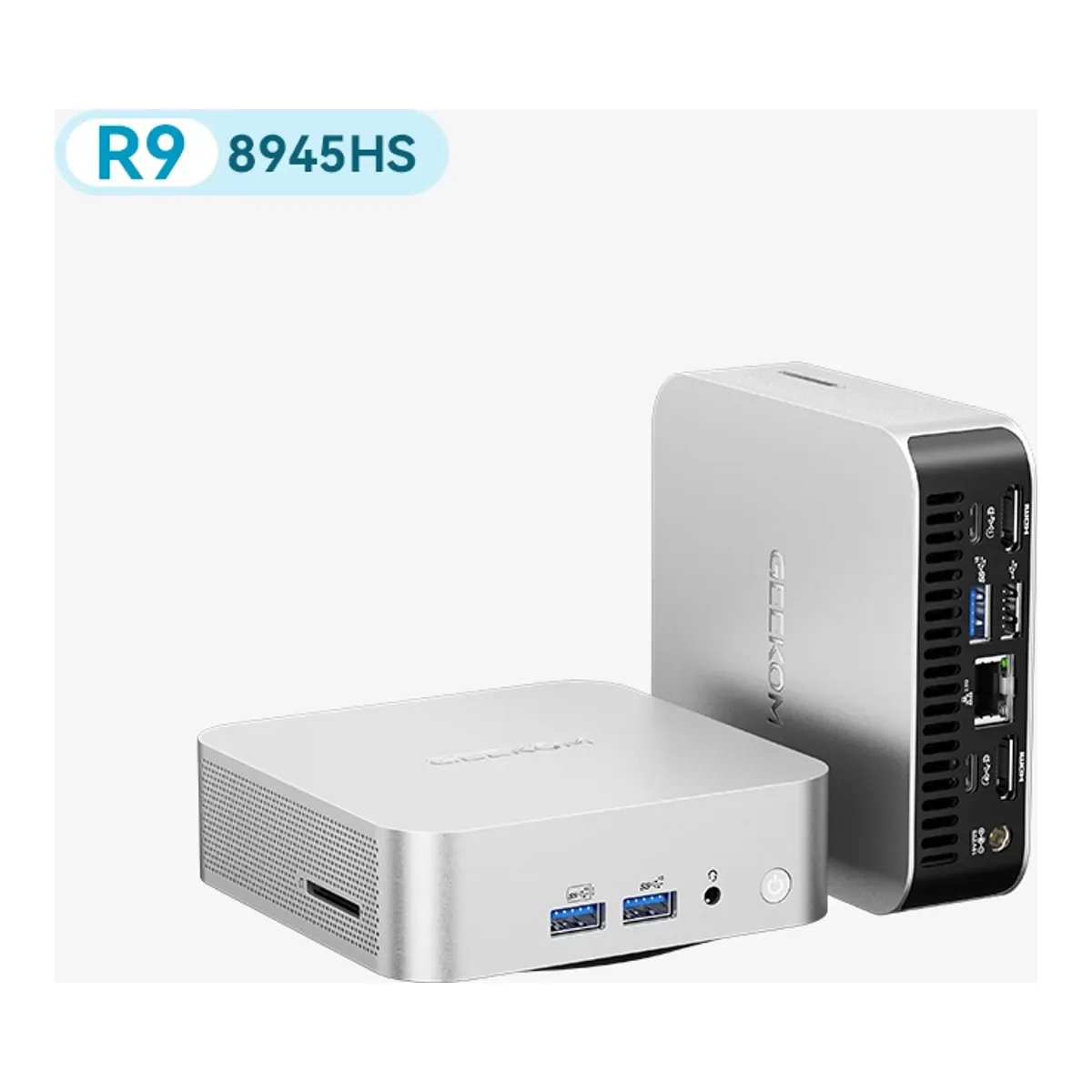
Best mini PC overall
GEEKOM A8
Eight Zen 4 cores and Radeon 780M in 0.64 liters, on socketed DDR5 that takes 64 GB, which is the combination the rest of this shelf keeps missing by one spec.
- AMD Ryzen 9 8945HS, 8 cores and 16 threads, 16 MB L3 cache, 4.0 to 5.1 GHz, 45 W TDP
- AMD Radeon 780M graphics
- Dual-channel DDR5 SODIMM, up to 64 GB
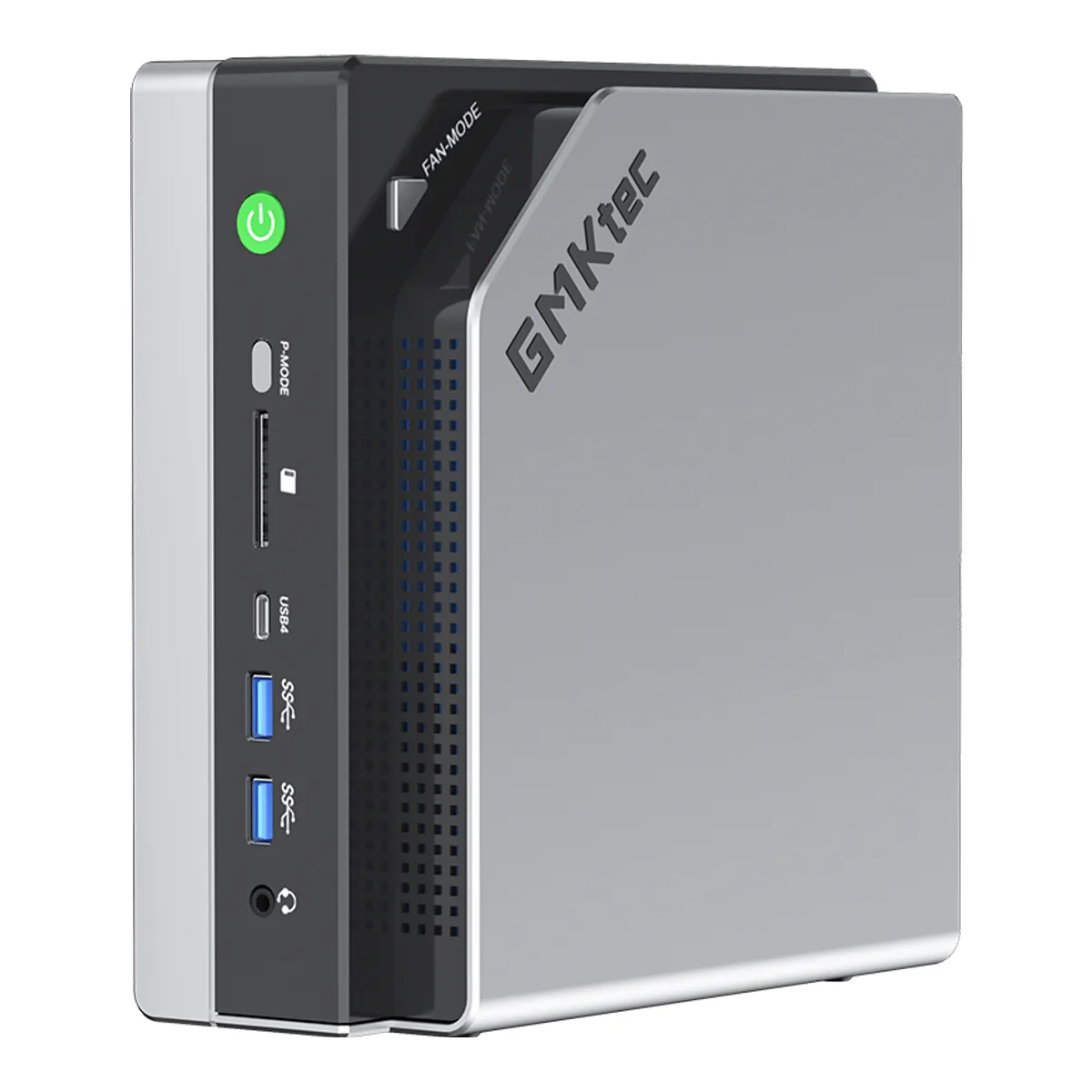
Best mini PC for AI
GMKtec EVO-X2
A 40 compute unit Radeon 8060S with 96 GB of its 128 GB addressable by the GPU, which is three times what its own 64 GB build can hand the graphics and far past any consumer card.
- AMD Ryzen AI Max+ 395, 16 cores and 32 threads, Zen 5, up to 5.1 GHz, 64 MB L3 cache
- TDP runs steadily at 120 W with a peak of 140 W
- AMD Radeon 8060S graphics, 40 RDNA 3.5 compute units
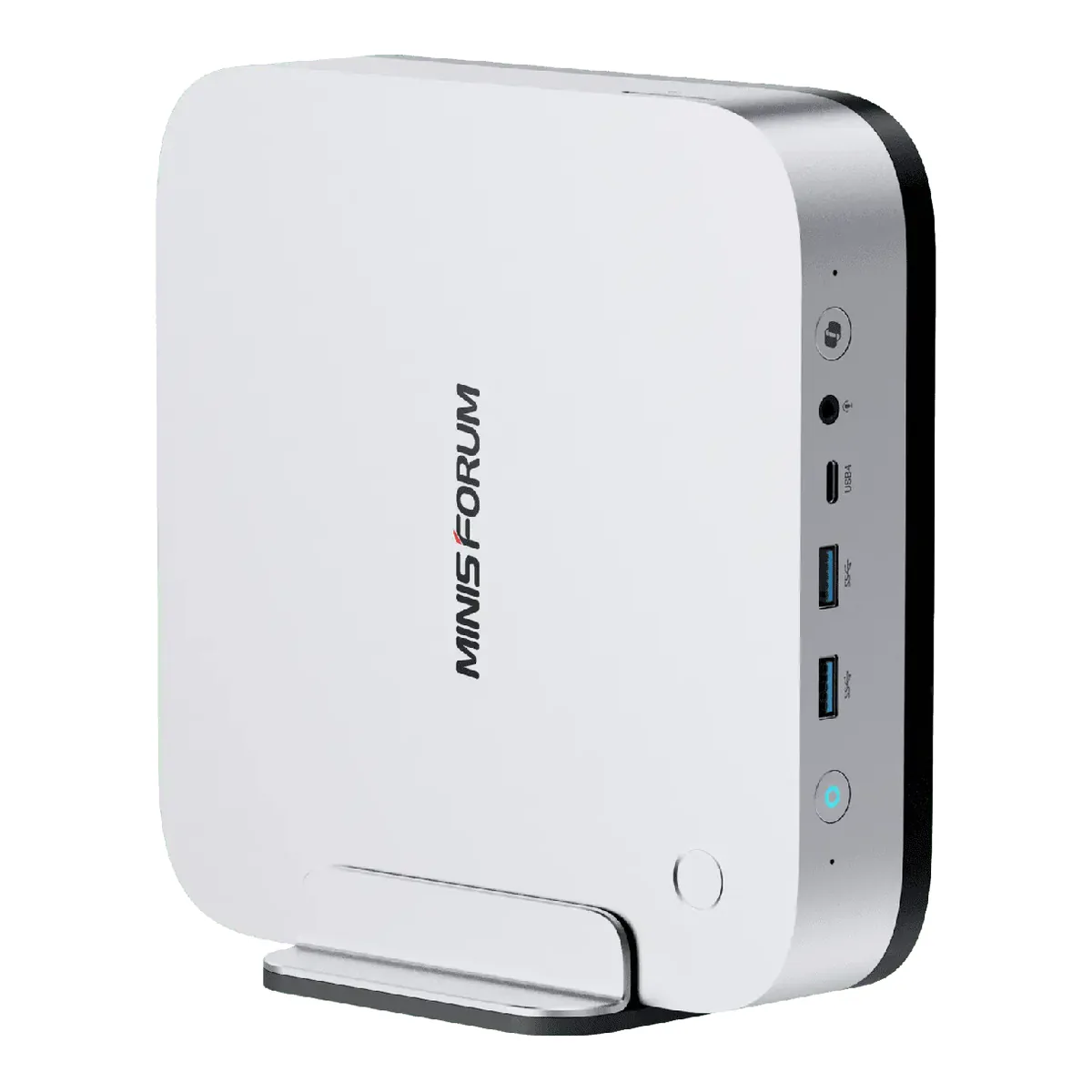
Best mini PC for gaming
MINISFORUM AI X1 Pro-370
Radeon 890M with up to 48 GB allocated to it, and an OCuLink port at PCIe 4.0 x4 for the day the integrated graphics stop being enough.
- AMD Ryzen AI 9 HX 370, 12 cores and 24 threads, base 2.0 GHz and maximum 5.1 GHz
- Overall performance up to 80 TOPS
- AMD Radeon 890M at 2900 MHz, with VRAM allocation from 2 GB to 48 GB
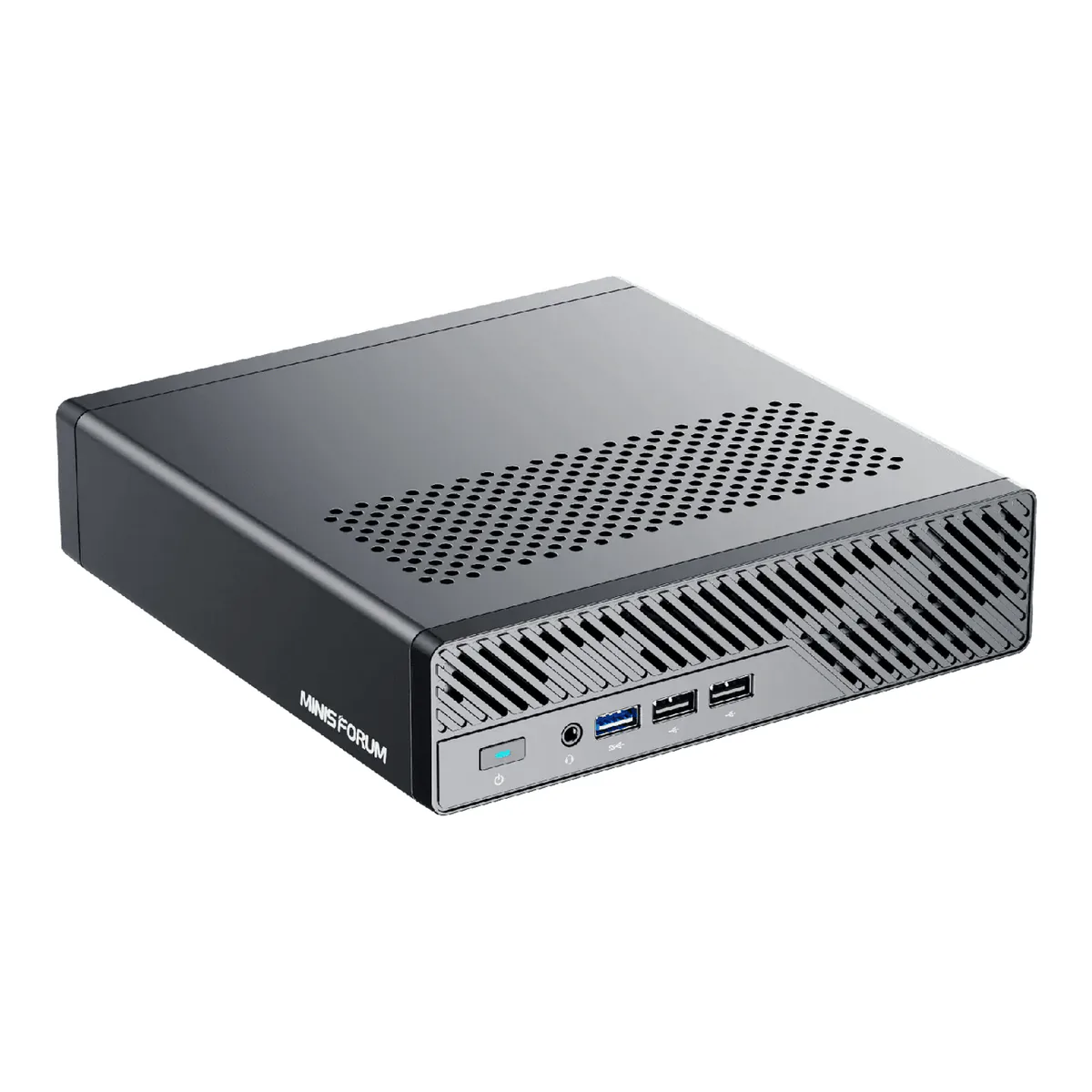
Best mini PC for Linux
MINISFORUM MS-01
Two 10 gigabit SFP+ cages, two 2.5 gigabit RJ45 and a half-height PCIe 4.0 slot, in a box that ServeTheHome ran on Proxmox and Ubuntu.
- Intel Core i9-13900H with vPro Enterprise support, 14 cores in 6 performance and 8 efficient, 20 threads, 24 MB L3 cache, up to 5.4 GHz
- Intel Iris Xe Graphics on dual-channel memory, Intel UHD Graphics on single channel
- DDR5-5200 dual channel across two SODIMM slots, up to a total maximum of 96 GB
Best mini PC for Home Assistant
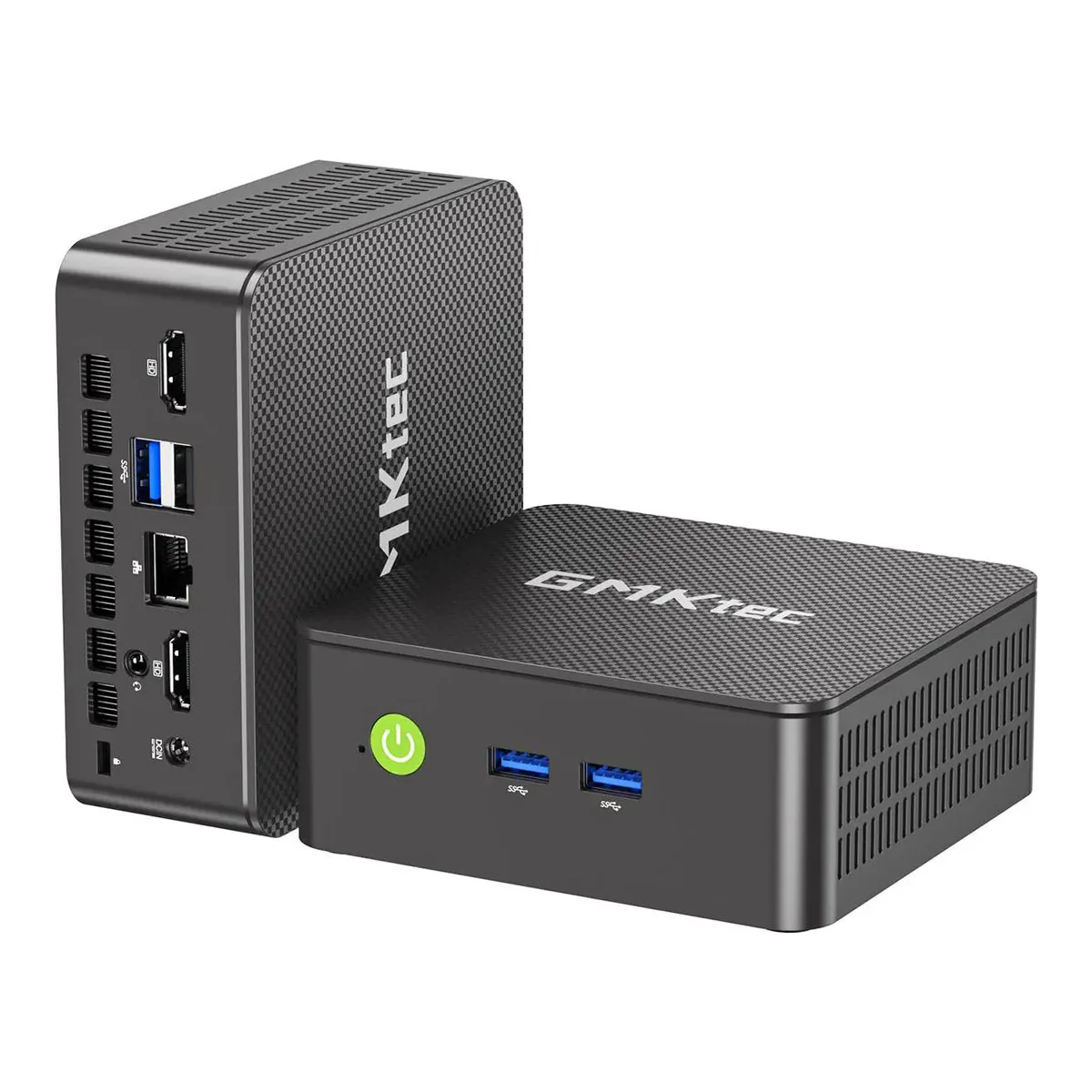
GMKtec G3S
A four core N95 with two drive slots and a VESA bracket in the box: everything an always-on home server actually needs.
- Intel Processor N95, Alder Lake, 6 MB smart cache, up to 3.4 GHz
- Two SSD slots: one M.2 2280 PCIe Gen3 x2 up to 8 TB, and one M.2 2242 SATA
- Dual HDMI output supporting up to 4K at 60 Hz
Five of the six numbers on a mini PC listing can be changed after the box arrives. The processor cannot, obviously, but memory, storage, the drive you boot from and the operating system are all yours to swap on most of these machines.
Then there is soldered memory. Order a machine with it and the number you chose at checkout is the number you own for the life of the box, printed in the same typeface as every specification that does not matter. This shelf splits on it, so the best mini PC for one buyer is a machine another buyer should not consider.
The five below are sorted by the job, never by the badge. Every one of them is picked for a constraint somebody actually has: a model that has to fit in memory, a network that has to move faster than a gigabit, a server that has to sit behind a monitor and never be thought about again.
Choosing on the one spec you cannot change
Every specification here comes off the manufacturer's own documentation or its published spec table, read this week. Beyond that, two of the five have a counted owner record behind them. We collected 727 owner comments around the MS-01 and 617 around the EVO-X2, of which 408 and 222 respectively sit on videos that name the machine by model, and only those subsets are quoted anywhere. Each of those two also has a full test from a named publication, ServeTheHome and Tom's Hardware respectively. Those two are named wherever their findings are used, because they are not the maker talking. Where a maker's own pages disagree with each other, and on this shelf both MINISFORUM and GEEKOM do, we say so and leave the flattering number alone.
The order follows memory, ports and footprint, in that sequence, because those are the three that a later purchase cannot fix. The rest of the mini PC and small form factor shelf sits behind these five.
Carry one reading into the table: GMKtec holds two of these five slots and MINISFORUM two. That reflects the shelf. It is no preference of ours.
The five on one axis
| Spec | GEEKOM A8 | GMKtec EVO-X2 | MINISFORUM AI X1 Pro-370 | MINISFORUM MS-01 | GMKtec G3S |
|---|---|---|---|---|---|
| Memory: ceiling, type and whether it is socketed | 2 x DDR5 SODIMM, socketed, to 64 GB | 64 or 128 GB LPDDR5X-8000, soldered, not upgradeable | 2 x DDR5-5600 SODIMM, socketed. 96 GB stated, 128 GB claimed | 2 x DDR5-5200 SODIMM, socketed, to 96 GB | 1 x DDR4 SODIMM, socketed, to 16 GB. Ships as 8 GB |
| Processor | Ryzen 9 8945HS, 8C/16T, 4.0 to 5.1 GHz, 45 W | Ryzen AI Max+ 395, 16C/32T, up to 5.1 GHz, 120 W sustained | Ryzen AI 9 HX 370, 12C/24T, 2.0 to 5.1 GHz, 80 TOPS | Core i9-13900H, 14C/20T, up to 5.4 GHz, vPro | Intel N95, 4C/4T, up to 3.4 GHz |
| Integrated graphics | Radeon 780M | Radeon 8060S, 40 CU RDNA 3.5 | Radeon 890M at 2900 MHz | Iris Xe, and UHD on a single memory channel | Intel UHD, quoted to 1200 MHz |
| Drive bays | 1 x M.2 PCIe 4.0 x4, to 4 TB | 2 x M.2 2280 PCIe 4.0 x4, to 8 TB each | 3 x M.2 2280 PCIe 4.0 to 4 TB. Only two are x4 | 3 x M.2 2280 to 4 TB. One PCIe 4.0 x4, two Gen 3 | 2 x M.2: one 2280 PCIe Gen3 x2, one 2242 SATA |
| Ethernet | 1 x 2.5 GbE (RTL8125BG-CG) | 1 x 2.5 GbE (8125BG) | 2 x 2.5 GbE | 2 x 10 GbE SFP+ and 2 x 2.5 GbE RJ45 | 1 x 1 GbE (Realtek 8111H) |
| PCIe, OCuLink and USB4 | 1 x USB4 Gen3 Type-C. No PCIe, no OCuLink | 2 x USB4. No PCIe slot, no OCuLink | OCuLink PCIe 4.0 x4, plus 2 x USB4. See note on the adapter board | PCIe 4.0 x16 slot, x8 electrical, plus 2 x USB4 | None. No USB4, no PCIe, no OCuLink |
| Chassis volume | 0.64 L (117 x 112 x 49.2 mm) | 2.76 L (193 x 185.8 x 77 mm) | 1.81 L (195 x 195 x 47.5 mm) | 1.78 L (196 x 189 x 48 mm) | 0.53 L (114 x 106 x 44 mm) |
Basis: manufacturer documentation, except the ServeTheHome findings further down, which are named where they are used. Chassis volume is ours, computed as a bounding box from each maker's stated dimensions, because footprint decides where a machine can live and only GEEKOM publishes a figure. GEEKOM is also the reason to read that column carefully: its help-center specification table gives the A8 as 117 x 112 x 49.2 mm while its product page gives 112.2 x 112.2 x 38 mm and prints 0.47 L. The table above follows the specification table, since that is the datasheet.
Best mini PC overall: GEEKOM A8
It fits eight Zen 4 cores, Radeon 780M and two socketed DDR5 slots into 0.64 liters. Only the four core G3S is smaller, and nothing else with this much processor in it comes close on footprint. Nothing about the machine is extreme, and that is the recommendation. Memory doubles later, the USB4 port drives an 8K display, and there are two HDMI outputs and an SD reader for the days a laptop would have been easier. A VESA mount comes in the box, so the whole thing disappears behind a monitor and stops being furniture.
Skip it if you plan to run more than one drive. There is one M.2 slot. Both MINISFORUM machines here have three, and on a box you mean to keep for five years that single slot is the specification that runs out first.
Best mini PC for AI: GMKtec EVO-X2
This one exists for its memory architecture. 128 GB of LPDDR5X on eight channels is shared between the 16 Zen 5 cores and a 40 compute unit Radeon 8060S. Tom's Hardware reports that the 128 GB build "delivers a massive 96GB of GPU‑addressable memory", far past what a consumer graphics card holds. GMKtec's own page names DeepSeek-R1 70B and Llama 4 109B against that build. Those are not small models. The measured frame rates and the three conflicting readings on fan noise are in our GMKtec EVO-X2 review.
That memory is soldered, and this is the machine where it matters most. Order the 64 GB version to save money and you have permanently bought a smaller ceiling for models, the single thing you bought the machine for. GMKtec's specification table offers 64 GB or 128 GB while its own model compatibility table also lists a 96 GB build, so confirm which one a listing is actually selling before ordering.
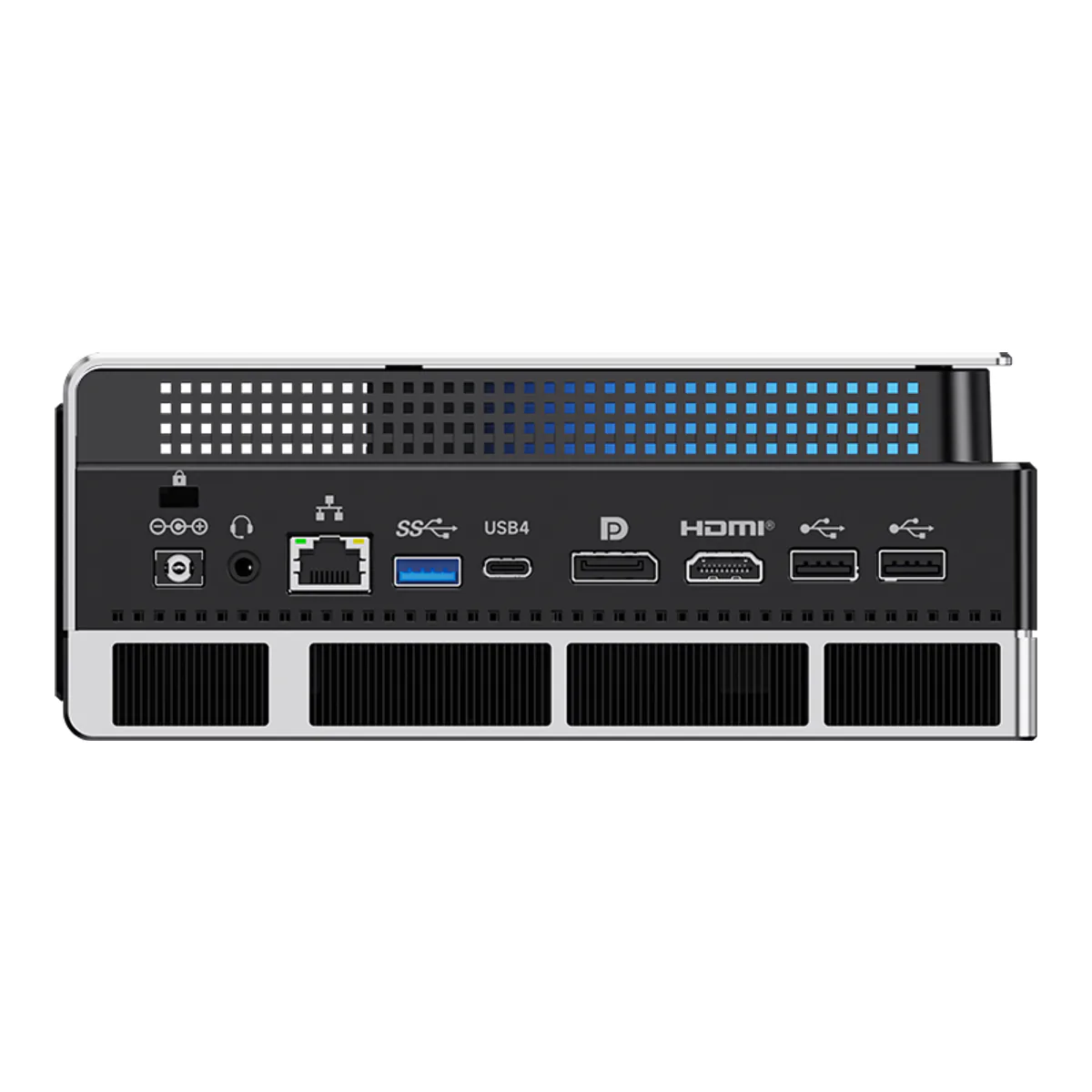
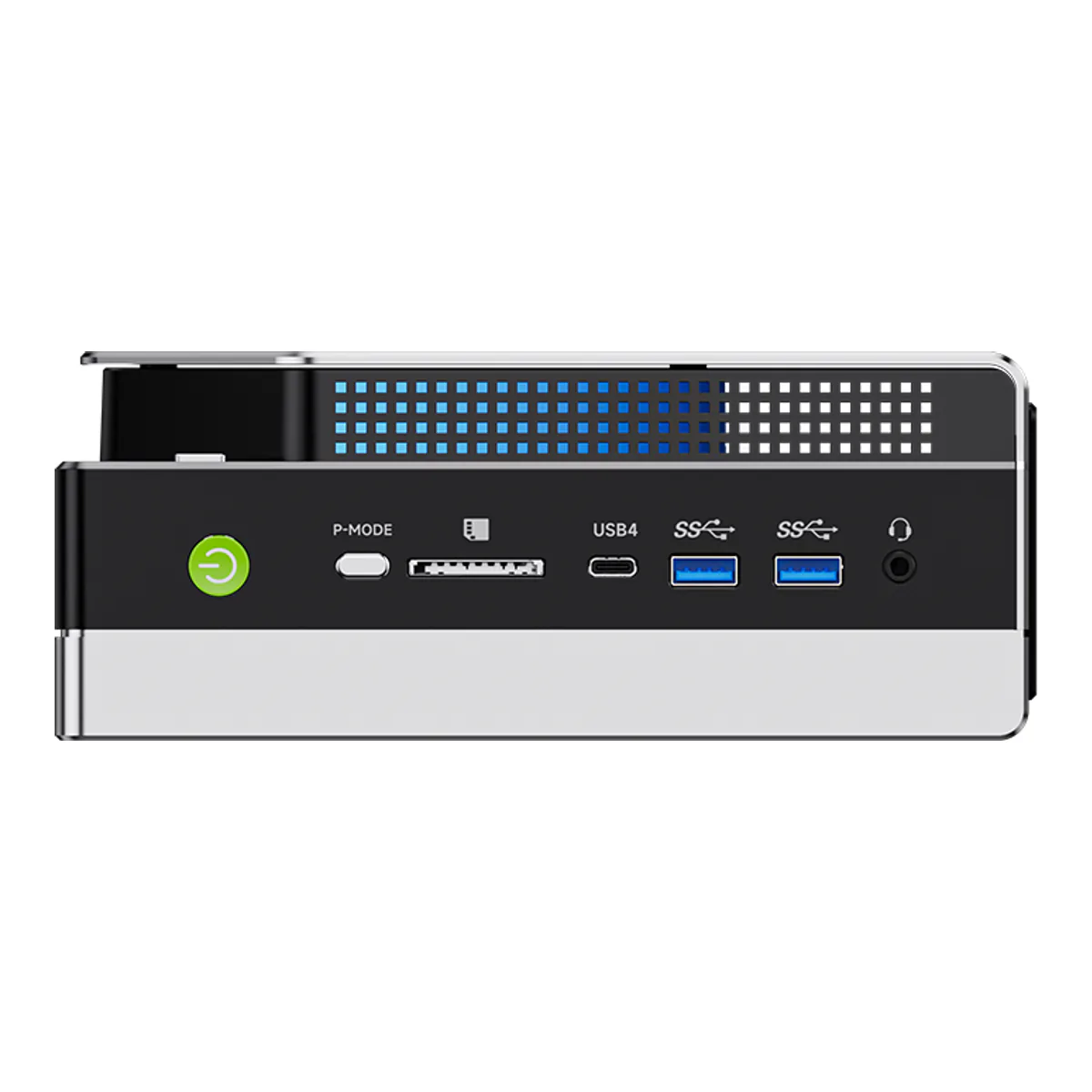
Skip it if the box has to be quiet. It sustains 120 watts and peaks at 140 in 2.76 liters. An owner review on GMKtec's own product page lists "poor thermal design, and excessive fan noise" among the things that "marred the out-of-box experience", in a write-up that is mixed but not hostile. The other limit is the network: one 2.5 gigabit port on a box holding 128 GB.
Best mini PC for gaming: MINISFORUM AI X1 Pro-370
Radeon 890M is the strongest integrated graphics here that is not attached to the AI pick, and MINISFORUM lets you hand it between 2 GB and 48 GB of VRAM from the SODIMM slots. Second fastest is not what makes it the gaming answer. The OCuLink port does, because it reaches a desktop graphics card without going through USB4's overhead. Check how yours arrives: MINISFORUM's rear-panel diagrams list it as OCuLink x 1 at PCIe 4.0 x4, while the I/O table on minisforum.com describes it as coming via an M.2 to OCuLink adapter board. On a machine sold partly on having three M.2 slots, settle that before you order.
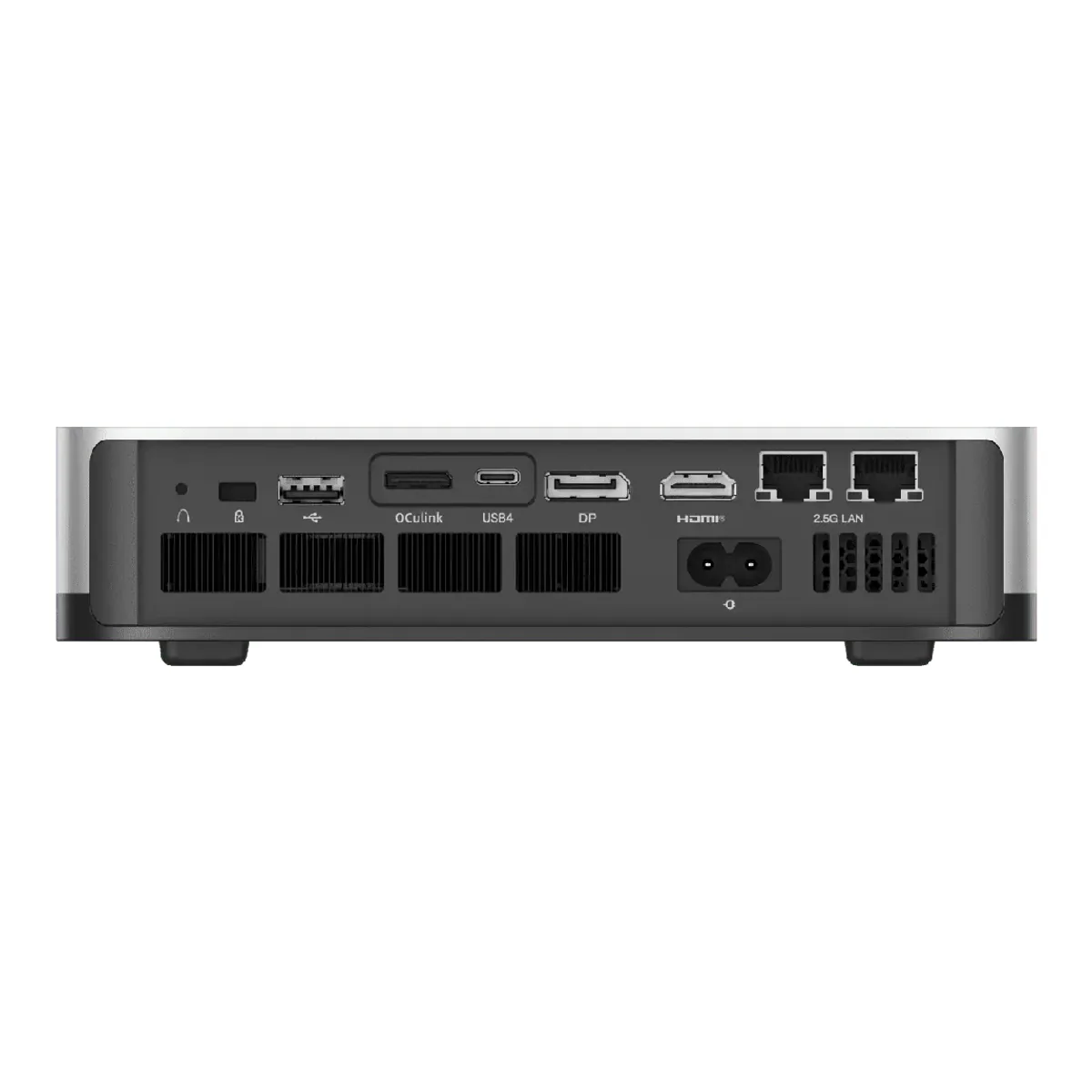
Three M.2 slots, two 2.5 gigabit ports, Wi-Fi 7 and a power supply built into the chassis, so there is no brick under the desk.
Skip it if you want a settled answer on memory. MINISFORUM's product page quotes 128 GB and its own store's specification table quotes 96 GB for the same machine, and until that resolves, plan around 96.
Best mini PC for Linux: MINISFORUM MS-01
Look at the back of it. Two 10 gigabit SFP+ cages, two 2.5 gigabit RJ45, two USB4 and a half-height PCIe 4.0 x16 slot running at x8 speed, which is a rear panel nothing else on this shelf comes close to. ServeTheHome ran it on Windows 11, Ubuntu and Proxmox VE, and found the 10 gigabit side driven by an Intel X710 and one of the 2.5 gigabit ports by an Intel i226-LM, the port that carries vPro management.
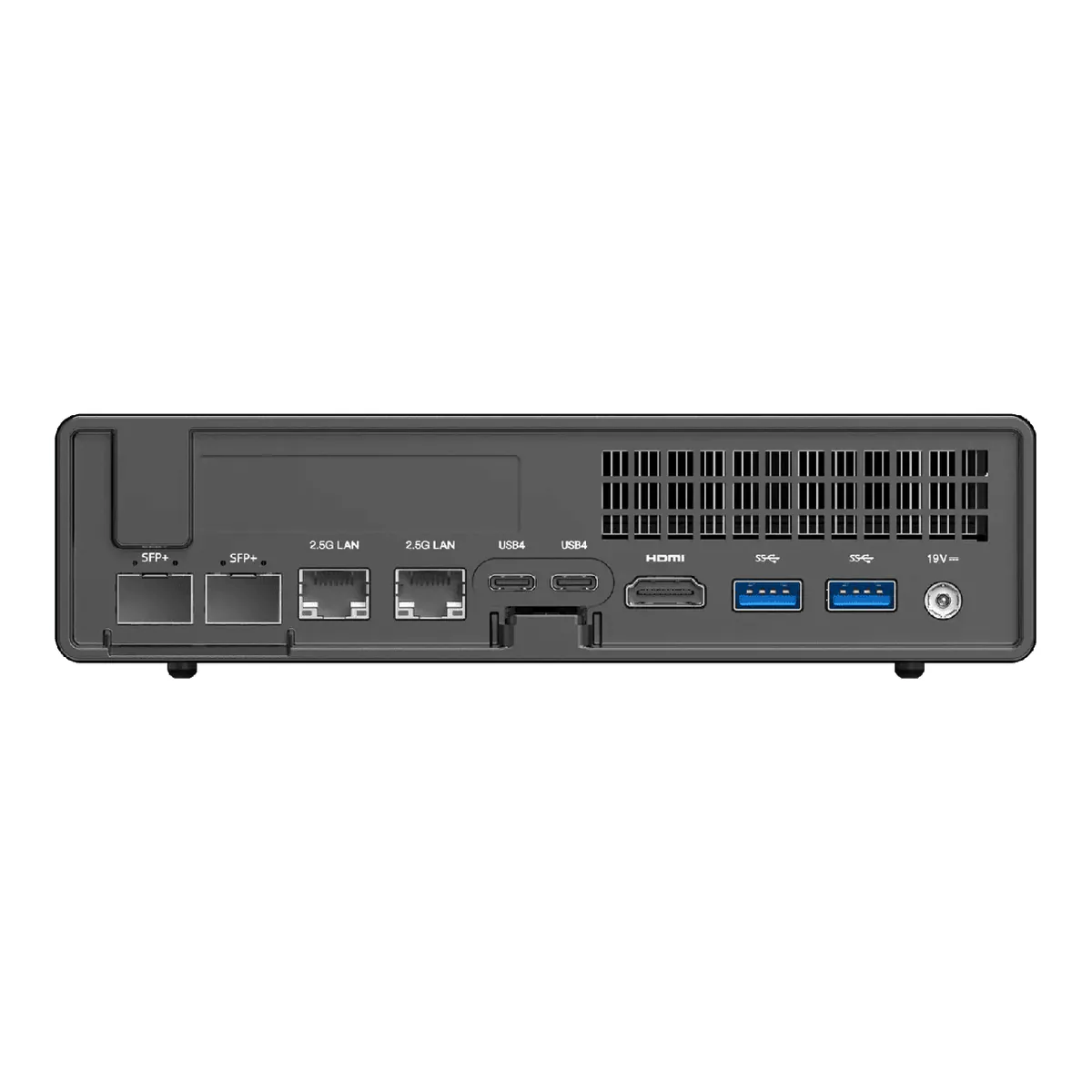
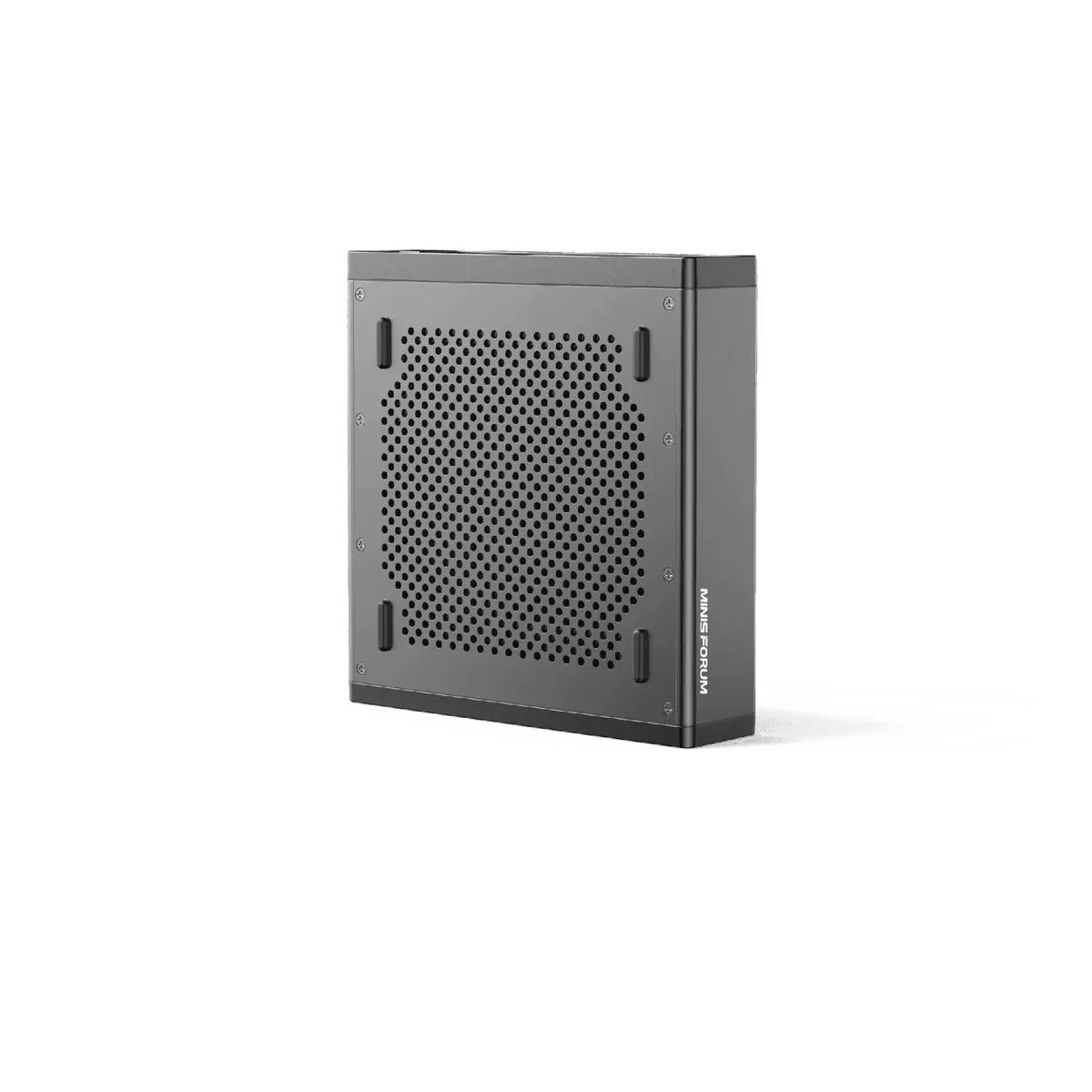
For anything that virtualizes, routes or serves, the ports are the machine. Three M.2 slots reach 12 TB, and swapping to one U.2 drive alongside two 22110 M.2 drives is the configuration MINISFORUM rates for 24 TB. Our MINISFORUM MS-01 review covers what actually fits that PCIe slot, which is narrower than it looks.
Skip it if you need it to be small. ServeTheHome says outright that it is larger than the one liter class, and the trade is the slot and the four network ports. A related gotcha from that same test: vPro wants a display attached, so a headless install wants a dummy HDMI plug.
Best mini PC for Home Assistant: GMKtec G3S
An always-on home server is the job where the slowest machine here wins. Four N95 cores handle automations and add-ons without ever noticing them. What actually earns the slot is the pair of drive slots, one PCIe and one SATA, so the operating system and the recordings can live apart on a box that never gets rebooted. GMKtec puts a VESA bracket and screws in the box. It ends up on the back of a monitor or screwed to the underside of a shelf, which is where a machine you never touch again belongs.
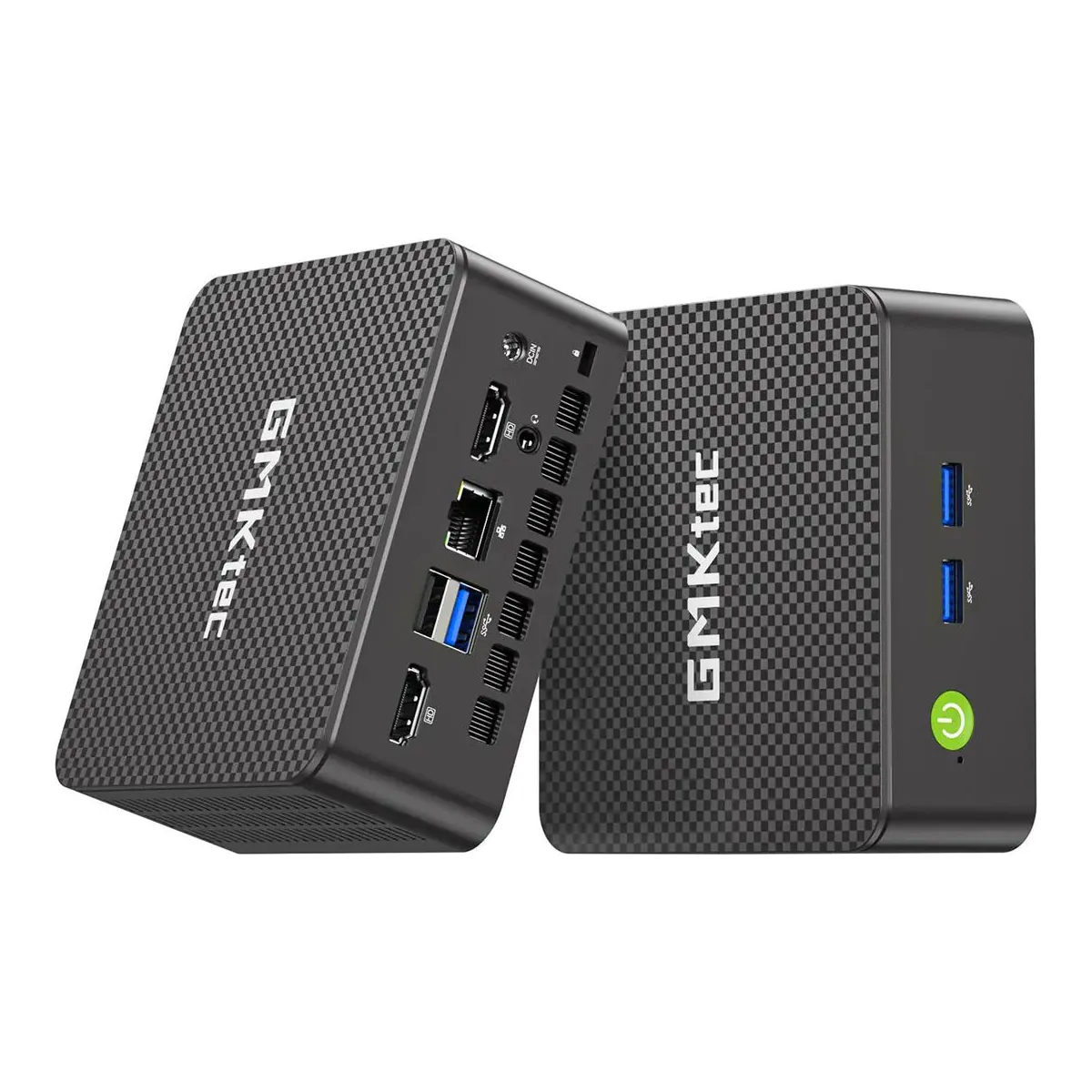
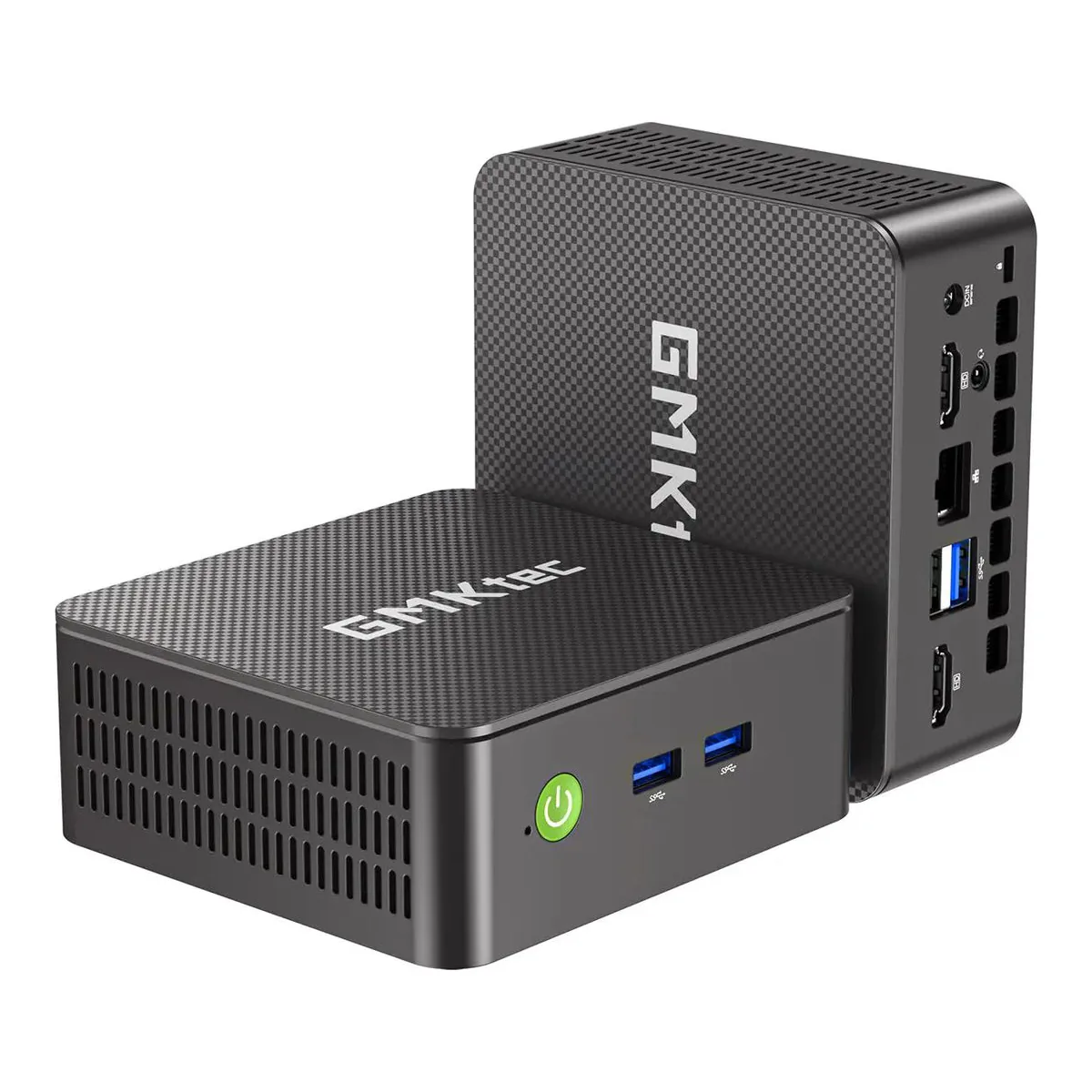
Skip it if the box is doing anything on the network that a gigabit will not carry. It has one 1 GbE port and Wi-Fi 5, where everything else here starts at 2.5 gigabit. It ships with 8 GB in a single socketed slot, and GMKtec supports up to 16 GB there. Do the upgrade, and know that 16 GB is a low ceiling to plan a decade around.
What we would check next
Two slots on this shelf are still open, and both have real demand behind them. Nothing here is picked for music production, where the deciding number is fan noise at idle and no manufacturer publishes one. Nothing is picked for streaming either, for the same reason in reverse: transcoding performance is measurable and none of these makers measures it.
Then there is Apple. No Mac mini appears above because none of the M6 configurations was buyable when these picks were made, and our rule is that a pick has to be orderable today. When that changes it becomes the most obvious comparison on the shelf.
Questions people actually ask
- Can you upgrade the RAM in a mini PC?
- On most of them, yes. Four of the five machines here take standard laptop SODIMM modules, so the memory unclips and swaps like a laptop. The exception is the GMKtec EVO-X2, whose LPDDR5X is soldered to the board and fixed at whatever you order. Check for the word SODIMM before you buy, because a soldered ceiling is the one specification no later purchase can raise.
- What mini PC has a PCIe slot?
- Of the five here, only the MINISFORUM MS-01, which carries a half-height single-slot PCIe 4.0 x16 connector wired at x8 speed. MINISFORUM rates it for cards up to an RTX A2000 Mobile. The MINISFORUM AI X1 Pro-370 has no internal slot and instead has OCuLink, which reaches an external card. MINISFORUM lists that port at PCIe 4.0 x4 on its rear-panel diagrams, and on one of its own pages describes it as arriving through an M.2 to OCuLink adapter board, so check what is in the box.
- Is a mini PC powerful enough to replace a desktop?
- For everything that is not sustained heavy load, comfortably. The EVO-X2 runs 16 Zen 5 cores and the MS-01 runs 14, and both hold their own against a mid-range tower. The two real limits are cooling, because a 120 watt part in under three liters gets loud, and graphics, since only an external card over OCuLink or USB4 gets you past integrated.