Mini PC size: three numbers, and only one is liters
Mini PC size is three separate questions wearing one word. The chassis runs from about half a liter to just under three across the machines we track, and that number decides where the box lives and how hard it can work before the fan is audible. The memory ceiling runs from 16 GB to 128 GB, and on one machine it is soldered and permanent. The drive count runs from one M.2 slot to three. Size the memory first, since it alone of the three cannot be raised by a later purchase, then size the drives, and let the liters fall out of what those two require.
The specification that runs out first is almost never the chassis. Four of the five machines we track take standard laptop SODIMM modules and one solders its memory to the board, and that machine is also the one people buy specifically for the memory. On the soldered one the difference is not a slower upgrade path. It is a different machine. Tom's Hardware reports the 64 GB build allocates up to 32 GB to graphics against 96 GB on the 128 GB build. GMKtec's own compatibility table marks DeepSeek-R1 70B and Llama 4 109B as running on the 128 GB build and not on the 64 GB one.
What decides it, in order
Work down these. Each one narrows the answer, and the first is the one most buying guides skip.
Which size is the question actually about?
The word does three jobs on this shelf and the answers point at different machines. Getting this wrong is how somebody buys the smallest box on the page and discovers the limit was never its footprint.
- The chassis, in liters
- This is the one people mean and the one that matters least, because almost every machine here disappears behind a monitor. Across the shelf it runs from 0.53 L on the GMKtec G3S to 2.76 L on the GMKtec EVO-X2, computed as a bounding box from each maker's own stated dimensions. What the extra liters actually buy is covered below. It is not always ports.
- The memory ceiling
- The number that decides how long the machine stays useful, and the only one of the three you may not be able to change. It runs from 16 GB on the G3S, which has a single SODIMM slot, to 96 GB on two of the machines here, to 128 GB soldered on the EVO-X2. Ask whether the listing says SODIMM before anything else.
- The number of drives
- One M.2 slot on the GEEKOM A8, two on the EVO-X2 and the G3S, three on both MINISFORUM machines. This is the constraint that turns a desktop into a server or fails to. It is invisible in the marketing name.
Is the memory socketed?
Everything else on a mini PC can be changed later. This cannot, on the machine where it counts most, and the listing rarely leads with it.
- Two SODIMM slots
- The normal case and the one to prefer. The GEEKOM A8 takes 64 GB across two DDR5 slots, the MINISFORUM MS-01 takes 96 GB of DDR5-5200, and the MINISFORUM AI X1 Pro-370 takes DDR5-5600. For that machine MINISFORUM quotes 96 GB on its store specification table and 128 GB on its product page. Buy the smaller kit and raise it when you need to.
- One SODIMM slot
- The GMKtec G3S is here. It ships with 8 GB and GMKtec supports up to 16 GB, so the upgrade is worth doing on day one and the ceiling is low enough to be a real planning constraint. For an always-on home server that runs a handful of services this is enough. For anything that grows, it is not.
- Soldered to the board
- The GMKtec EVO-X2 only. GMKtec states outright that its LPDDR5X is not upgradeable, so the capacity you order is the capacity you own. Read the gotcha above before choosing between its builds, because the gap between them is wider than the memory figures suggest.
How many drives does the job need?
Drive count separates a desktop replacement from a machine that stores things, and no mini PC on this shelf has a bay for a spinning disk.
- One, and it is the boot drive
- The GEEKOM A8 has exactly one M.2 slot at PCIe 4.0 x4 and takes up to 4 TB in it. That is a complete answer for an office or browsing machine and it is the first specification that runs out if the machine ever becomes something else.
- Two, so the system and the data live apart
- The GMKtec G3S splits them usefully at the small end, one M.2 2280 on PCIe Gen3 and one 2242 SATA, which is why it works as a home server. The EVO-X2 has two M.2 2280 slots at PCIe 4.0 x4 taking up to 8 TB each.
- Three or more
- Both MINISFORUM machines. The MS-01 has three M.2 2280 slots but only one is PCIe 4.0 x4, the other two being Gen 3, and it also supports one U.2 drive alongside two 22110 M.2 drives for up to 24 TB. The AI X1 Pro-370 has three PCIe 4.0 slots where only two are x4 and the third is x1.
Does anything have to plug into a slot?
This is where the chassis size stops being cosmetic, because a card needs physical room and only one machine here has any.
- Nothing, integrated is enough
- Most buyers. Every machine here drives multiple displays from its integrated graphics, and the Radeon 780M in the GEEKOM A8 or the 8060S in the EVO-X2 covers a great deal of work without anything added.
- A card, inside the case
- Only the MINISFORUM MS-01, which has a half-height single-slot PCIe 4.0 x16 connector running at x8 speed. MINISFORUM states compatibility up to an RTX A2000 Mobile, and that ceiling is the thing to check first.
- A card, outside the case
- The MINISFORUM AI X1 Pro-370 has an OCuLink port, which MINISFORUM lists at PCIe 4.0 x4 on its rear-panel diagrams and, on one of its own pages, describes as reaching the panel through an M.2 adapter board. Machines with USB4 can hang an enclosure off that instead, more slowly.
Where is it going to sit?
The liters question, answered last because the three above have already narrowed it. Fan noise and orientation are decided here.
- Behind a monitor
- The GEEKOM A8 and the GMKtec G3S both ship a VESA bracket in the box, and at 0.64 L and 0.53 L both disappear. Note that Tom's Hardware reports the EVO-X2 has no VESA support and that its side perforations force it to stand upright, while minipc-review.com says a VESA mount is included, so check the box contents if this is the plan.
- On a shelf beside a switch
- The MS-01 stands on its short edge, which is how 1.78 L fits next to networking gear rather than under a display. This is also the machine whose rear panel makes the case for buying it.
- On the desk, in the room you work in
- Then read the noise findings before you commit. One MS-01 owner running Proxmox describes it as silent at rest and audible once a media scan loads it, and Tom's Hardware found the EVO-X2's fans louder than expected during CPU benchmarks though much more controlled while gaming.
Somebody asking what size mini PC they need is usually asking about liters, and of the three sizes, liters is the least likely to disappoint them. Every machine on this shelf is small. What runs out is the memory.
So ask the questions below in order, and work out the chassis figure last.
Mini PC size, and why memory comes before liters
Mini PC size is a question with three answers and they do not fail equally.
A chassis that turns out to be a liter bigger than you pictured is a shelf problem, solved by moving it. A drive slot you do not have is an inconvenience, solved with an external enclosure and a cable you resent. A memory ceiling you have hit is a new machine.
That asymmetry is why the constraint chain runs memory, drives, slots and only then size. It also makes the word SODIMM the single most useful thing to look for in a listing.
It answers a different question people ask on this shelf, too: how long will a mini PC last. The processor will not be what retires it. Eight Zen 4 cores or fourteen Intel ones are still a competent machine in five years for everything most people do. A mini PC usually retires because it runs out of a number, and the memory ceiling is the number with no second chance. A machine with two SODIMM slots and 64 GB of headroom has a different lifespan from an identical one with 16 GB. You settle that gap when you order.
The one machine where the ceiling is permanent
The GMKtec EVO-X2 solders its memory. People buy it for memory. An unkind combination.
The penalty for ordering the smaller build is not proportional. Tom's Hardware reports that "the 64GB model can allocate up to 32GB for graphics, while the 128GB configuration can expose a massive 96GB to the GPU", and GMKtec's own model compatibility table marks DeepSeek-R1 70B and the pre-installed Llama 4 109B as supported on the 128 GB build and not on the 64 GB one. Three times the graphics memory, and the workloads the machine is advertised for.
Every other machine here lets you get this wrong and fix it later.
What the extra liters actually buy
Not ports, necessarily. Every machine here states dimensions, so you can check that yourself.
At 0.53 L the GMKtec G3S has one gigabit port and no expansion of any kind. At 0.64 L the GEEKOM A8 adds USB4 and 2.5 gigabit, and still has a single M.2 slot. At 1.78 L the MINISFORUM MS-01 buys four network ports including two 10GbE SFP+ cages and the only PCIe slot on the shelf. At 2.76 L the GMKtec EVO-X2 spends its extra volume almost entirely on cooling and still has one network port and no slot.
Look at the two ends. A G3S at half a liter and an EVO-X2 at nearly three both give you one network port and no slot, five times the volume apart, and only the EVO-X2's two USB4 ports let the larger one reach a card at all. Everything interesting about connectivity happens in the middle of the range.
The makers are not being lazy. Cooling a 120 W processor takes air, and air takes volume, so a machine built around a fast part spends its size on thermals and has none left over for a rear panel. A machine built around a modest part can spend the same liters on ports instead. Neither choice is visible in a dimension.
Volume tracks capability only where the maker chose to spend it that way. Read the port list.
Working the chain backwards
If you already know the machine you want, the chain still earns its keep as a check. Run the four questions against it and see whether the answers match the job. Buyers who regret a mini PC almost never say the box was too big.
The full picks, with what each one is good for, are on the best mini PC shortlist. The two machines with the most to say about size in particular are the MINISFORUM MS-01, which spends every millimeter of its 1.78 liters on its rear panel, and the GMKtec EVO-X2, the largest of all, which spends it on air.
Questions people actually ask
- What size mini PC do I need?
- Start with memory rather than liters. Decide the memory ceiling you want to still be living with in three years, check the listing says SODIMM so you can reach it, then count the drives the job needs, then ask whether anything has to go in a slot. The chassis size falls out of those three answers, and across the machines we track it lands somewhere between 0.53 and 2.76 liters either way.
- Do mini PCs use laptop RAM?
- Usually, yes. Four of the five machines we track take SODIMM modules, which is the same physical format a laptop uses, in DDR4 on the GMKtec G3S and DDR5 on the GEEKOM A8, the MINISFORUM MS-01 and the MINISFORUM AI X1 Pro-370. The exception is the GMKtec EVO-X2, whose LPDDR5X is soldered to the board and cannot be changed at all.
- Is a bigger mini PC always better cooled?
- No, because volume buys whatever the designer spent it on. The MINISFORUM MS-01 at 1.78 liters spends its size on four network ports and a PCIe slot. The GMKtec EVO-X2 at 2.76 liters spends nearly all of it on cooling a processor GMKtec runs at 120 W and has one network port and no slot. Read the port list before the dimensions.
What that lands on
Machines that satisfy the chain above. The condition is on each one, because a machine that is right for one answer is wrong for another.
We earn a commission on qualifying purchases through the links here, at no cost to you. It never decides what makes the list.
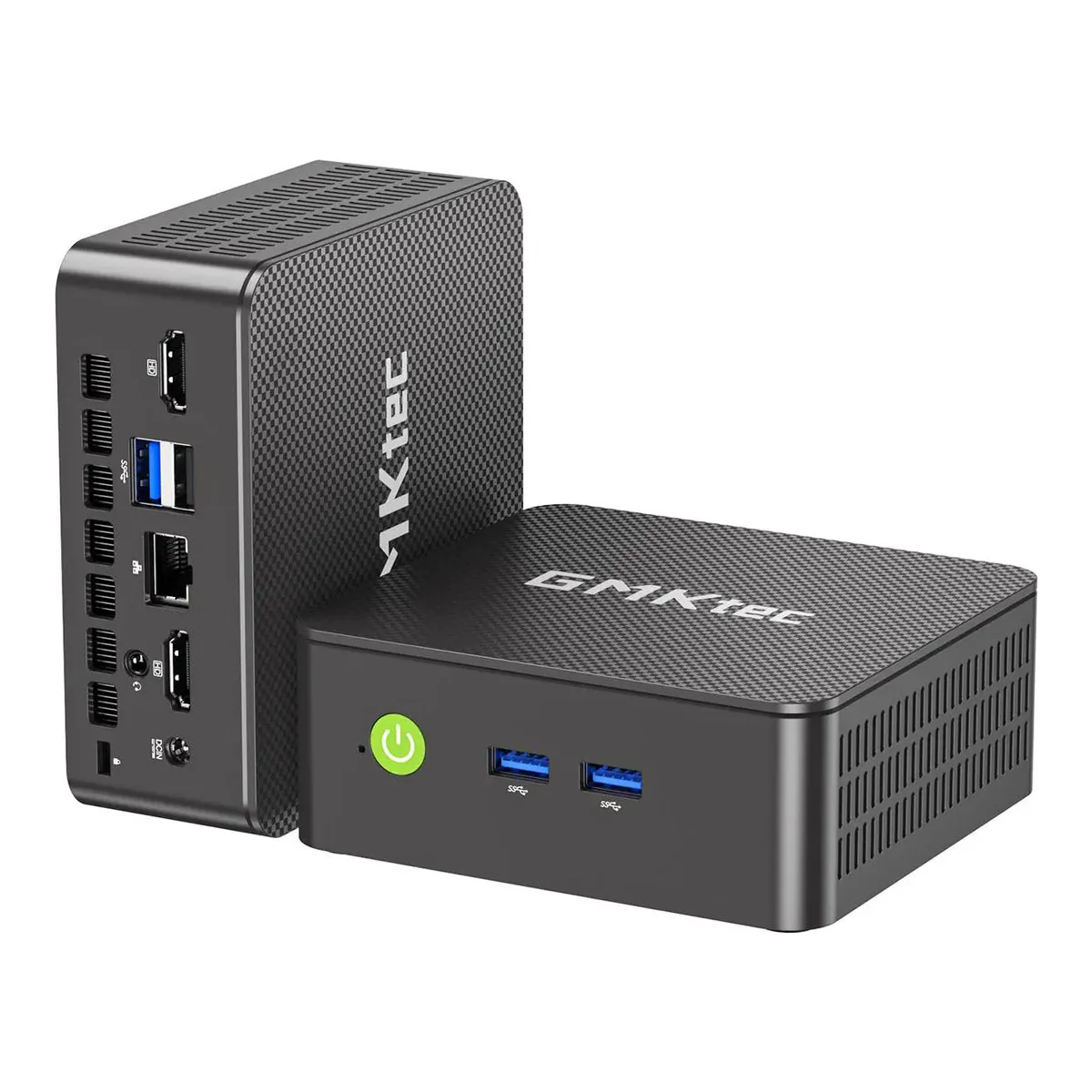
GMKtec G3S
Right when the answers were one drive pair, no slot, 16 GB is plenty and it hangs off a monitor.
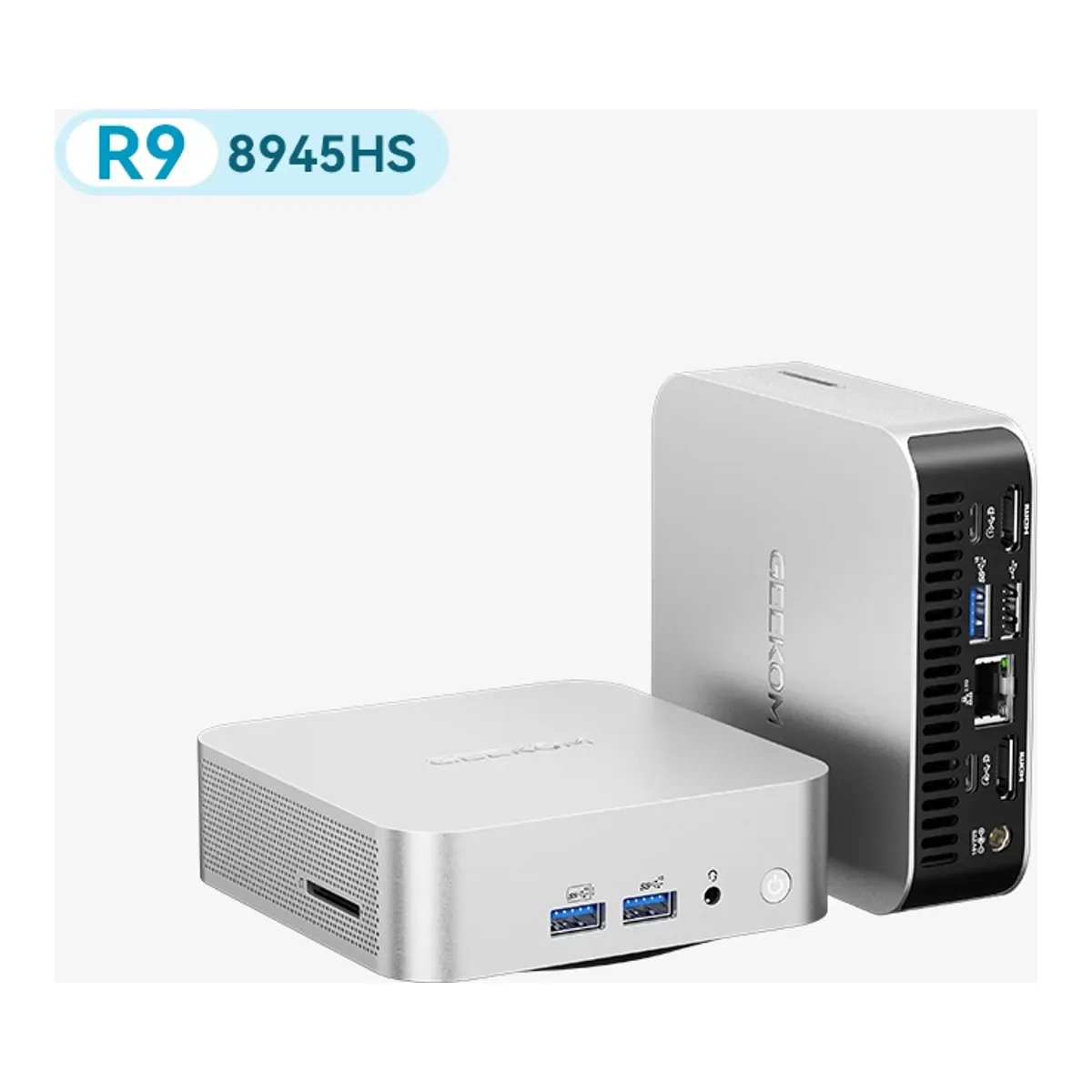
GEEKOM A8
Right when the answers were one drive, no slot, 64 GB of socketed headroom and the smallest box that still runs eight real cores.
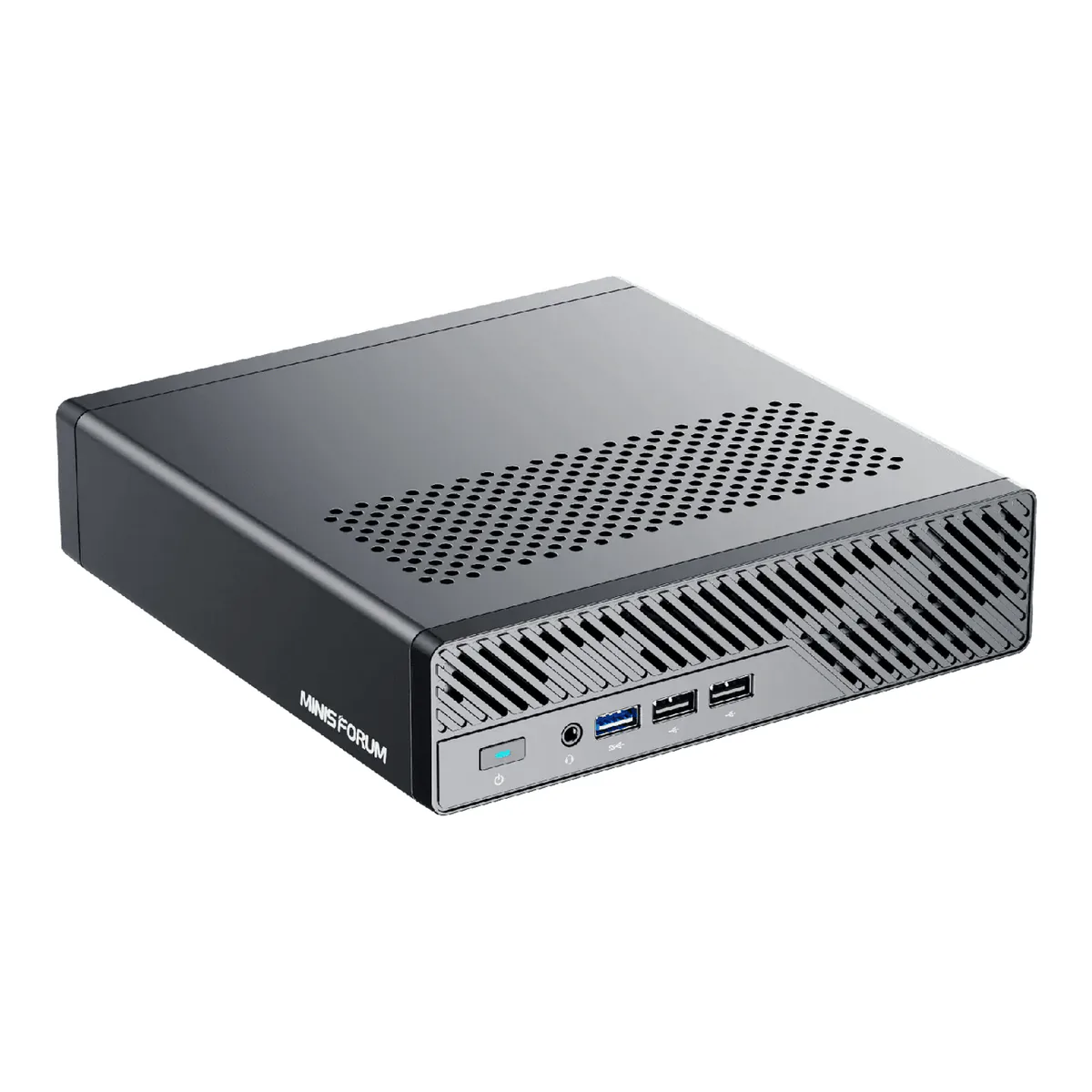
MINISFORUM MS-01
Right when the answers were three drives, a card inside the case, and a shelf rather than a monitor arm.
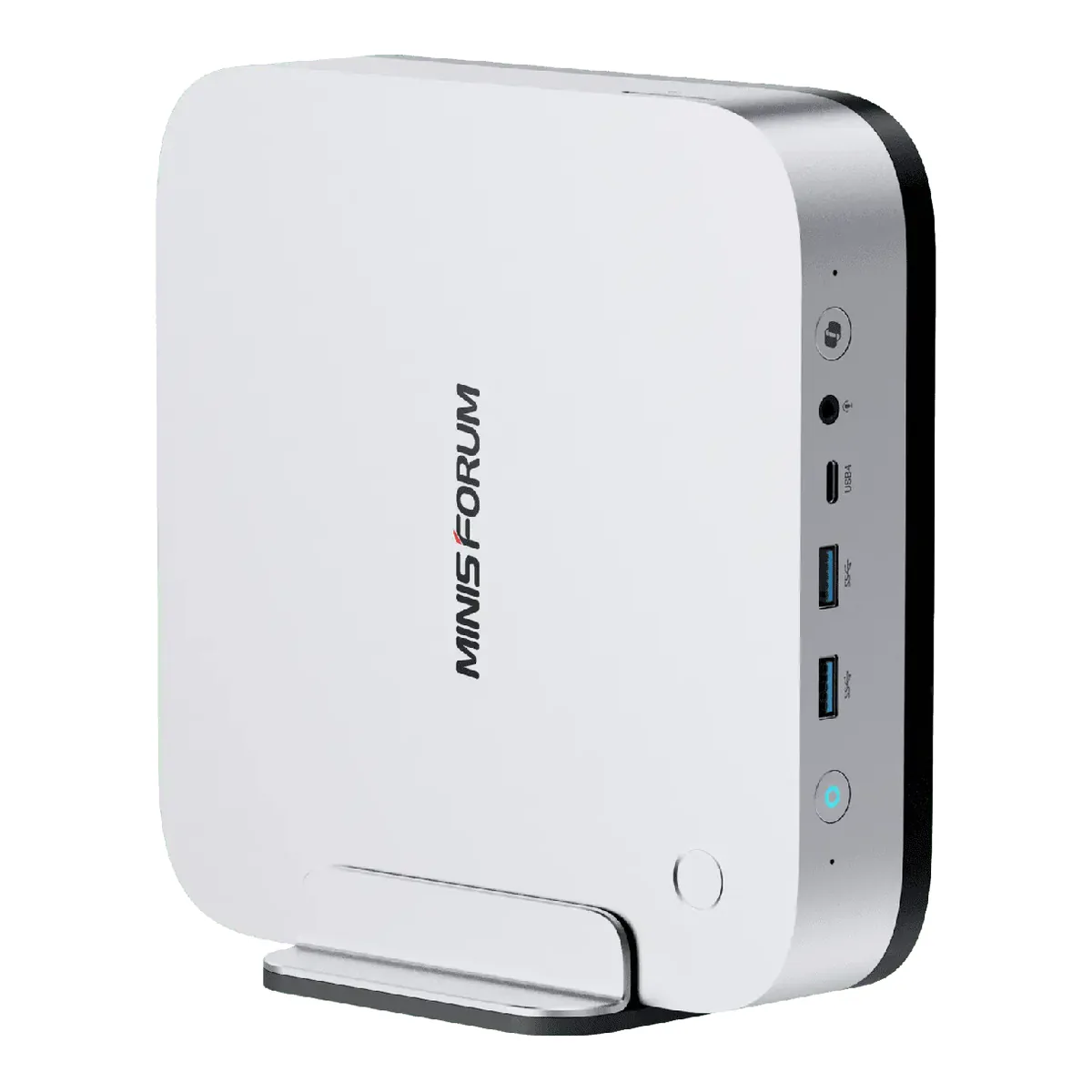
MINISFORUM AI X1 Pro-370
Right when the answers were three drives, a card outside the case on OCuLink, and 96 GB of socketed headroom underneath it.
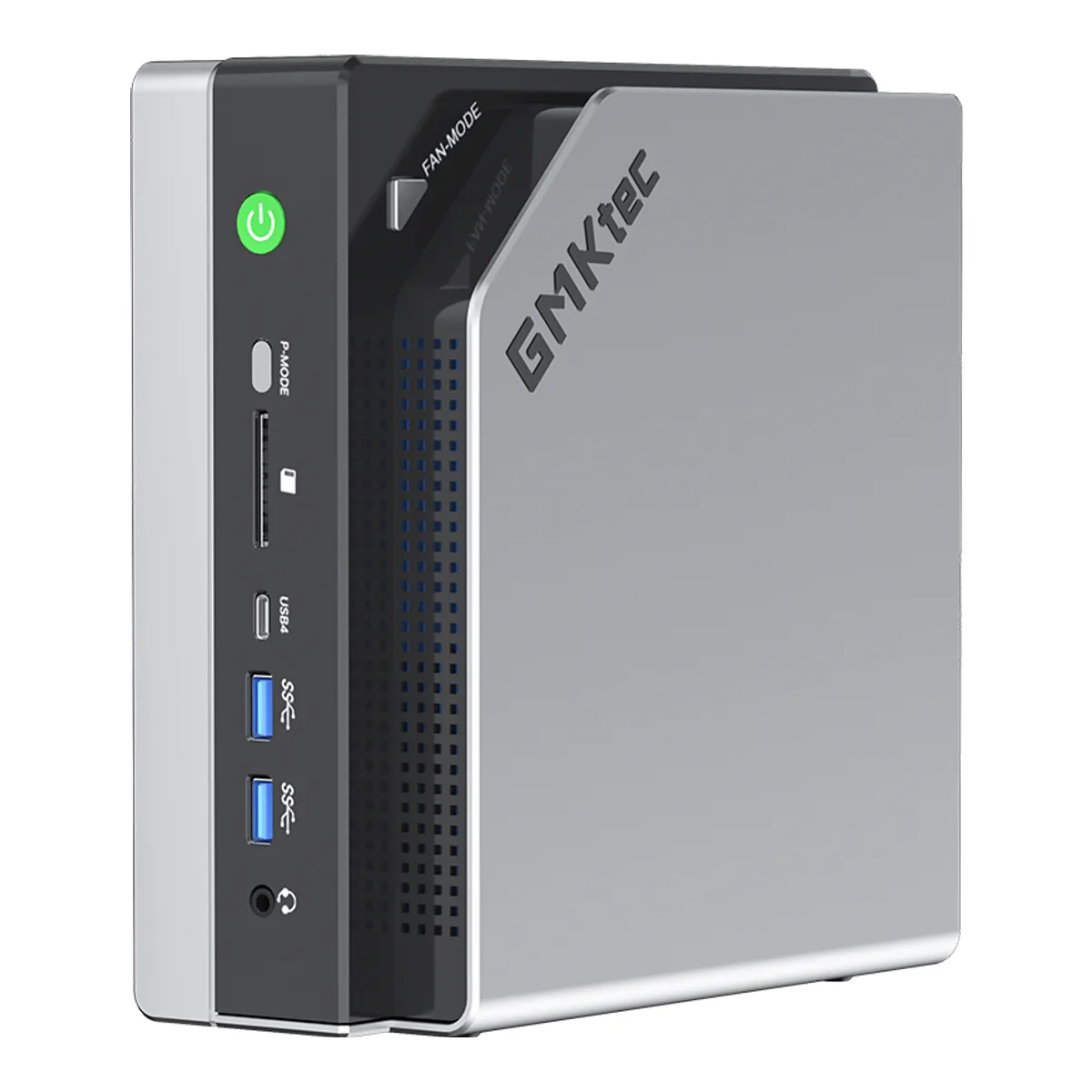
GMKtec EVO-X2
Right when the answer to the memory question was 96 GB addressable by the GPU, and you accepted a soldered ceiling and an audible fan to get it.