Mini PC vs desktop: the real question is how many liters
For everything except sustained heavy load and discrete graphics, a mini PC is now the same machine in a fraction of the space. Buy the tower if you want a full length graphics card, if the box will run at full load for hours at a time, or if you intend to change parts for years. Buy the mini PC for everything else, and treat the decision as a volume budget. The machines on our shelf run from 0.53 to 2.76 liters. Cooling headroom, expansion and quiet all scale with that number, whatever the badge on the front says.
What decides it: Chassis volume, and what each additional liter buys. Every real limit of a mini PC follows from having less of it, which is why the honest comparison is against a specific size rather than against desktops in general.
We earn a commission on qualifying purchases through the links here, at no cost to you. It never decides what makes the list.
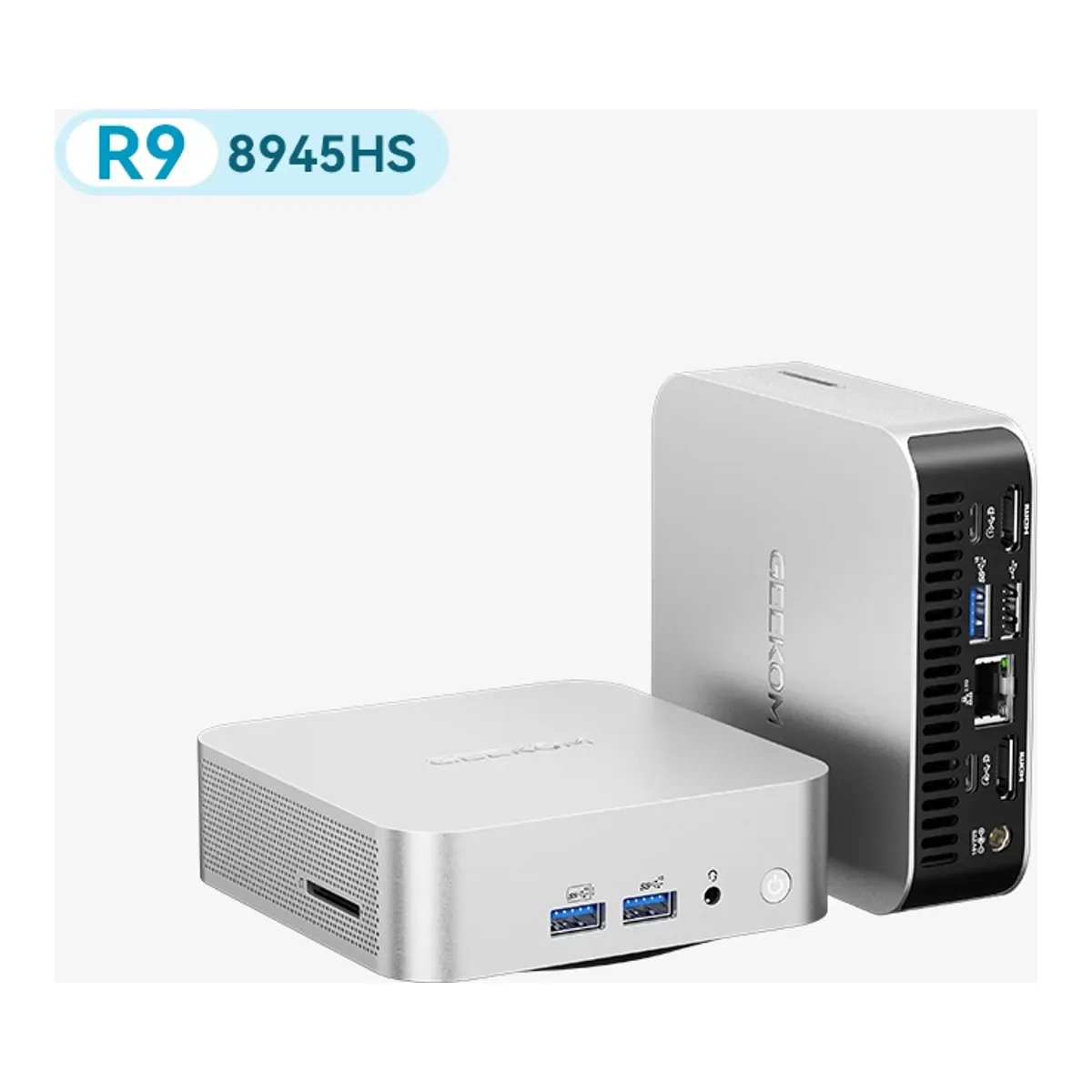
A mini PC, taking the GEEKOM A8 as the instance
Pick this if the machine sits on a desk or behind a monitor, the work is not a sustained all core load, and integrated graphics or an external card is enough.
A desktop tower
Pick this if you want a full length graphics card, the box runs at load for hours, or you plan to replace parts one at a time over years.
No pick here yet. The specs below are the type, not a product.
| A mini PC, taking the GEEKOM A8 as the instance | A desktop tower | |
|---|---|---|
| Memory: ceiling, type and whether it is socketed | 2 x DDR5 SODIMM, socketed, to 64 GB | Desktop DIMM slots rather than SODIMM, and usually more of them |
| Processor | Ryzen 9 8945HS, 8C/16T, 4.0 to 5.1 GHz, 45 W | A socketed desktop part, replaceable on its own |
| Integrated graphics | Radeon 780M | A full length card in a mechanical x16 slot |
| Drive bays | 1 x M.2 PCIe 4.0 x4, to 4 TB | Several M.2 plus bays for spinning disks |
| Ethernet | 1 x 2.5 GbE (RTL8125BG-CG) | Whatever card you put in a slot |
| PCIe, OCuLink and USB4 | 1 x USB4 Gen3 Type-C. No PCIe, no OCuLink | Full height slots, and a standard power supply behind them |
| Chassis volume | 0.64 L (117 x 112 x 49.2 mm) | Tens of liters, and the case is most of it |
The interesting version of this question is not which is faster. It is what a liter is worth, because on the mini PC vs desktop question every real limit follows from volume and nothing follows from the category.
ServeTheHome made that trade explicit while reviewing the MINISFORUM MS-01 at 1.78 liters. They compared it against the one liter class, not against a tower. Their reading was that the machine "is not trying to be as small as possible, so it has a fast Core i9 processor and a reasonable noise profile", and that against a one liter PC "this being slightly larger but having more functionality is a trade-off most will take any day". Size bought cooling and it bought a PCIe slot. Price that in liters and you have the trade.
What you actually give up
Three things, and only three.
A mechanical x16 slot for a full length graphics card is the first, and nothing inside the chassis works around it. One machine of the five on our shelf has a PCIe slot at all, the MS-01, and MINISFORUM states it is compatible with cards up to an RTX A2000 Mobile in a half height single slot space. What that slot actually takes is narrower than it sounds, and our MINISFORUM MS-01 review goes through it. Every machine here except the G3S can reach an external card instead, over USB4, and the AI X1 Pro-370 adds an OCuLink port for it, which MINISFORUM lists at PCIe 4.0 x4 and, on one of its own pages, describes as arriving through an M.2 adapter board. Either way the card ends up outside the box you were trying to make small.
Sustained cooling is the second. Tom's Hardware found the EVO-X2's fans "louder than expected" and audible across a room during CPU benchmarks, while noting they were "much more controlled" during gaming because the processor was not fully stressed. Three sources disagree about how loud that machine really is, and we set them beside each other in the GMKtec EVO-X2 review. A tower solves the problem with air it has room for.
Serviceability is the third, and quieter than the other two. Memory and drives come out of most of these machines. What you cannot do is replace a part at a time for six years.
The volume ladder, and what each step buys
Read the shelf as a ladder and the pattern is consistent. Every liter figure below is ours, a bounding box computed from each maker's own stated dimensions, and the best mini PC shortlist carries the basis line and the one case where a maker states two different sizes for the same machine.
At 0.53 liters the GMKtec G3S has four cores, one gigabit port, no USB4 and no expansion of any kind. At 0.64 the GEEKOM A8 adds eight cores, a 2.5 gigabit port, USB4 and two socketed DDR5 slots, and still has a single drive slot. At 1.78 the MS-01 buys three M.2 slots, four network ports including two 10GbE SFP+ cages, and the only PCIe slot here. At 1.81, very slightly larger, the AI X1 Pro-370 has three M.2 slots, OCuLink and two 2.5 gigabit ports, and no PCIe slot at all. At 2.76 the EVO-X2 spends its extra volume almost entirely on cooling a processor GMKtec runs at 120 W and 128 GB of memory, and it still has one network port and no slot.
Notice that last step. Volume does not automatically buy expansion. It buys whatever the designer chose to spend it on, and the EVO-X2 chose thermal headroom.
Where a tower still wins outright
Tom's Hardware, reviewing the fastest mini PC on our shelf, wrote the concession better than we would: it is "a decent pick for space-constrained creators, though those seeking greater returns will want to stick with a full-size system".
Take that seriously in three cases. If the graphics card is the point, a tower is no longer a preference, because no mini PC here takes a full length card. If the machine spends hours rendering, compiling or transcoding, the fan noise findings above are what you are buying into. And if the plan is to own the machine through three upgrade cycles, a tower is a set of parts and a mini PC is a unit.
Mini PC vs desktop, decided in three questions
Answer these in order and the choice makes itself.
Does the work need a discrete graphics card that has to live inside the case? If yes, buy the tower and stop reading. If the card can hang off an OCuLink port, the MINISFORUM AI X1 Pro-370 is built for that, with the adapter-board caveat above.
Will the processor sit at full load for hours at a stretch? If yes, buy the larger machine, whichever category it comes from, and read the noise findings before you commit.
Is the box going to live where you work, or where you sleep? That question has sent more people to a mini PC than any benchmark, and no spec sheet can answer it. Every machine on the small form factor shelf fits behind a monitor. None of the towers are.
Questions people actually ask
- Is a mini PC powerful enough to replace a desktop?
- For most work, yes. The processors are the same silicon families: the GMKtec EVO-X2 runs 16 Zen 5 cores and the MINISFORUM MS-01 runs 14 Intel cores with vPro. Tom's Hardware measured the EVO-X2 at 90 to 110 frames per second in Star Wars Jedi: Fallen Order at 1080p on Epic settings, and found it traded places with the Framework Desktop, which runs the same processor, across five games. The gap is not raw speed. It is sustained load, discrete graphics and the ability to change one part at a time.
- Do mini PCs thermal throttle?
- Under sustained load some do, and it depends on the power mode rather than on the category. The site minipc-review.com, which collates other outlets and marketplace reviews rather than running a lab, reports the EVO-X2 at 75 to 81 C and around 35 dB in Quiet mode. In Performance mode it reports above 85 C with peaks to 98 C, where it says that can cause throttling and occasional freezing. Tom's Hardware ran a different test, 15 sequential Metro Exodus runs, and saw the processor average 61 C with under 1 FPS of variation. Both are true: a gaming load in a moderate mode is not an all core render in the default one.
- Can you upgrade a mini PC later?
- Memory and storage usually, graphics almost never. Four of the five machines on our shelf take standard laptop SODIMM modules and every one takes at least one M.2 drive. What no mini PC here has is room for a full length card, even the MINISFORUM MS-01 with its half-height PCIe slot. The graphics you buy are broadly the graphics you keep unless the machine has OCuLink or USB4 and you are willing to hang an enclosure off it.