Bambu Lab P2S review: what 58 owners report
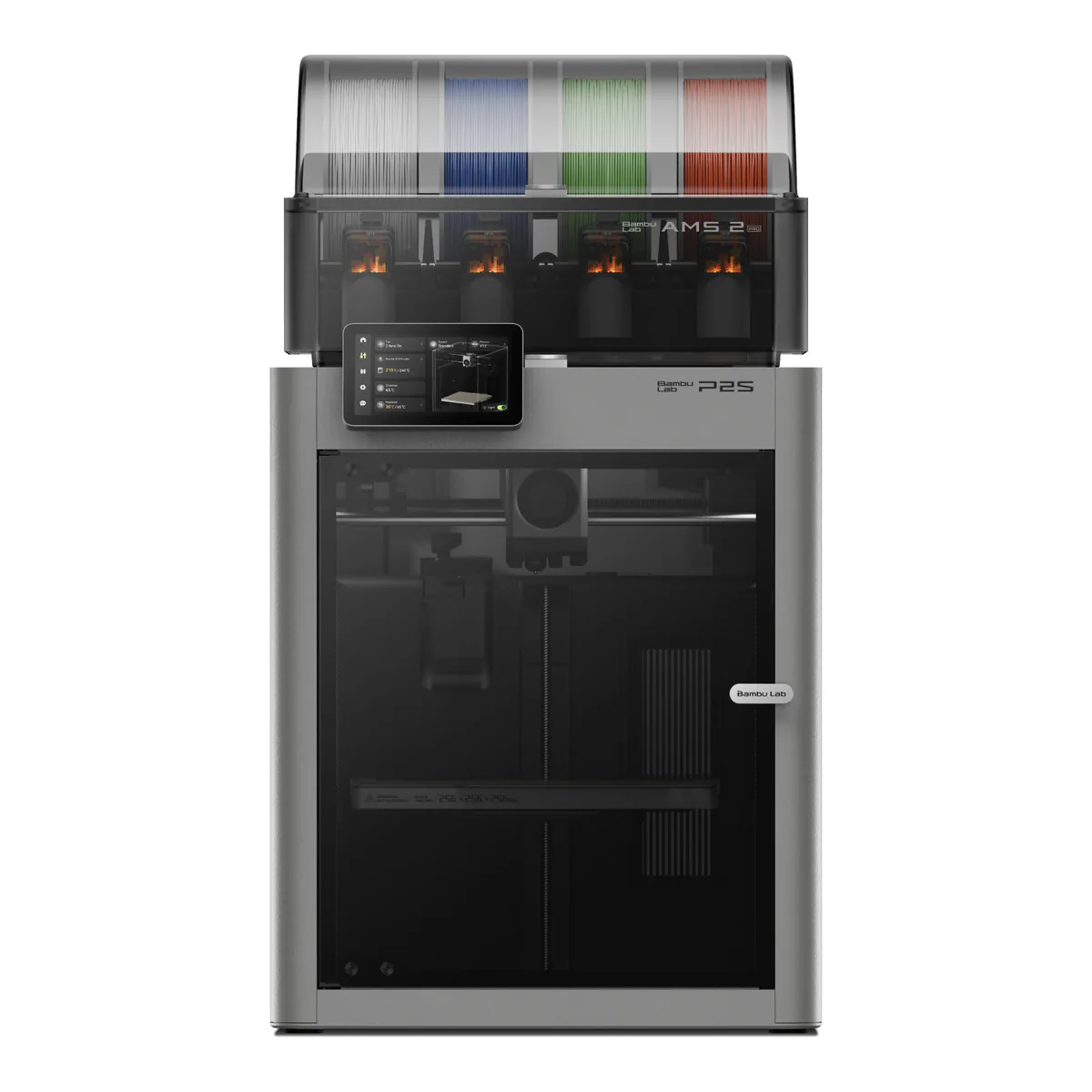
The enclosed 3D printer to buy if you can only buy one: a 256 mm cube, a hardened hotend, and the AMS 2 Pro that feeds and dries four spools. Skip it if you print large ASA parts, need Ethernet, or already run a P1S that works.
- Build volume 256 x 256 x 256 mm
- CoreXY motion system, fully enclosed chamber
- Hardened steel nozzle and extruder gear, up to 300°C
- Heatbed up to 110°C, textured PEI plate included
- AMS 2 Pro in the box: four filament slots, drying up to 65°C
- Max toolhead speed 600 mm/s
We earn a commission on qualifying purchases through the links here, at no cost to you. It never decides what makes the list.
Skip the Bambu Lab P2S if you print big ASA parts every week, need a cable into the router, or already own a P1S that does its job. For nearly everyone else it is the printer to buy: enclosed, fast, a hardened nozzle by default, and in the Combo an AMS 2 Pro that feeds four spools and dries them between prints. The one rival that changes the answer is the Snapmaker U1, and only for somebody who prints in four colors most days.
It holds the overall slot on our 3D printer picks. We counted 58 people under P2S review videos who say they own one, and read Bambu's manuals and FAQ against four published hands-on tests.
P2S vs P2S Combo
Buy the Combo unless you will only ever print one color.
It is the same printer with the AMS 2 Pro in the box and the filament buffer already fitted; the plain P2S has no buffer. The AMS holds four spools under a sealed lid, switches between them mid-print, and dries them at up to 65°C.
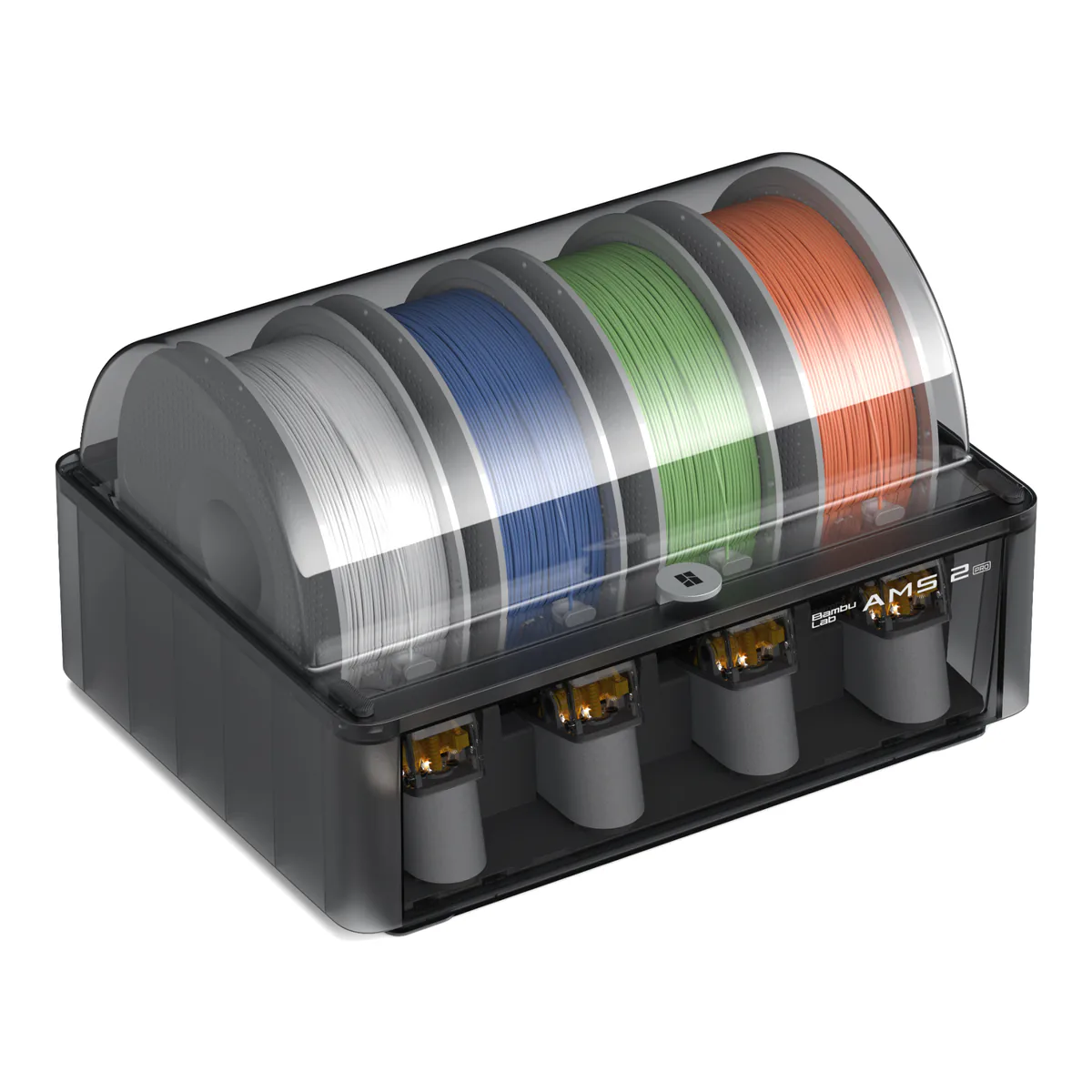
Two limits come with the dryer. It reaches 65°C only when the room is above 25°C, and on the P2S it dries in standby, so printing pauses while it runs. One owner's gripe with the AMS is that limit: "It can’t heat while printing". The ceiling is generous at four AMS 2 Pro units and four AMS HT units on one printer, 20 slots in all.
AMS 2 Pro vs AMS Lite: the Lite does not fit
It does not. Bambu's own store lists the AMS Lite for the A1 and A2 series only, and states it is not compatible with X, P and H2 series printers. On a P2S the choice is the AMS 2 Pro or the AMS HT. A first generation AMS needs an adapter, and the AMS hub is not supported at all.
Three of the four AMS feeding reports, from three owners and one tester, come down to the spool. Cardboard reels came up twice, independently: the tester's third party reels stopped the system far more often, and an owner's cardboard spools bind. A second owner found it would not take 400 g spools. The AMS refuses generic TPU and most carbon or glass fiber filaments, though Bambu's own PLA-CF, PETG-CF and PAHT-CF and its TPU for AMS are on the supported list; the rest print from the external spool holder. Every color change also purges the nozzle, which is why Tom's Hardware lists "AMS unit wastes filament" as its one con.
What 58 P2S owners report
Ten report between 80 and 1,500 hours. Eight of those name few or no problems, one at 1,500 says nothing either way, and one past 1,000 calls it junk. "It really is a solid workhorse that has already provided me with 800+ hours of print in less than 4 months of use," writes one, and a Combo owner for whom it was a first printer is at 1,200 hours with nothing but user error to show for it.
Five of the 58 are negative overall, and three of those returned it, are returning it, or asked for a return label. Two of the five are in the clog count below. The rest of the complaints spread thin: three about the AMS, three about other hardware, three about the app or the ecosystem, and two each about ASA and fumes. Four also own or owned a P1S.
The quick-swap hotend, and the clogs owners clear
Six of the 58 report a clog, a jam or an extruder error, two of them on PETG and one by their own admission. No other fault comes up as often.
Where it happens matters. The nozzle and heatsink lift out together on a single clip, with no wiring to undo. The extruder above them is a different job: one PETG owner had a jam there and agrees that "it’s a pain to work on". The worst case is an owner who asked Bambu for a return label after repeated "extruder overloaded errors" that began after 66 hours. Against that, PCMag ran more than 120 hours with no clogs, skipped steps or layer shifts.
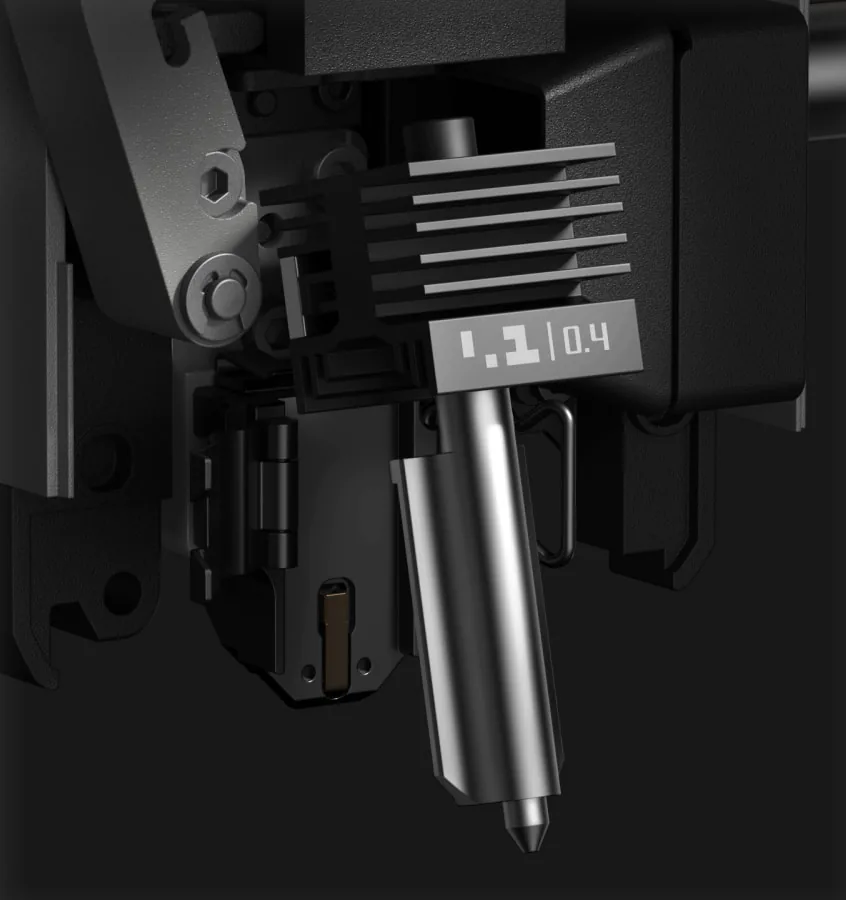
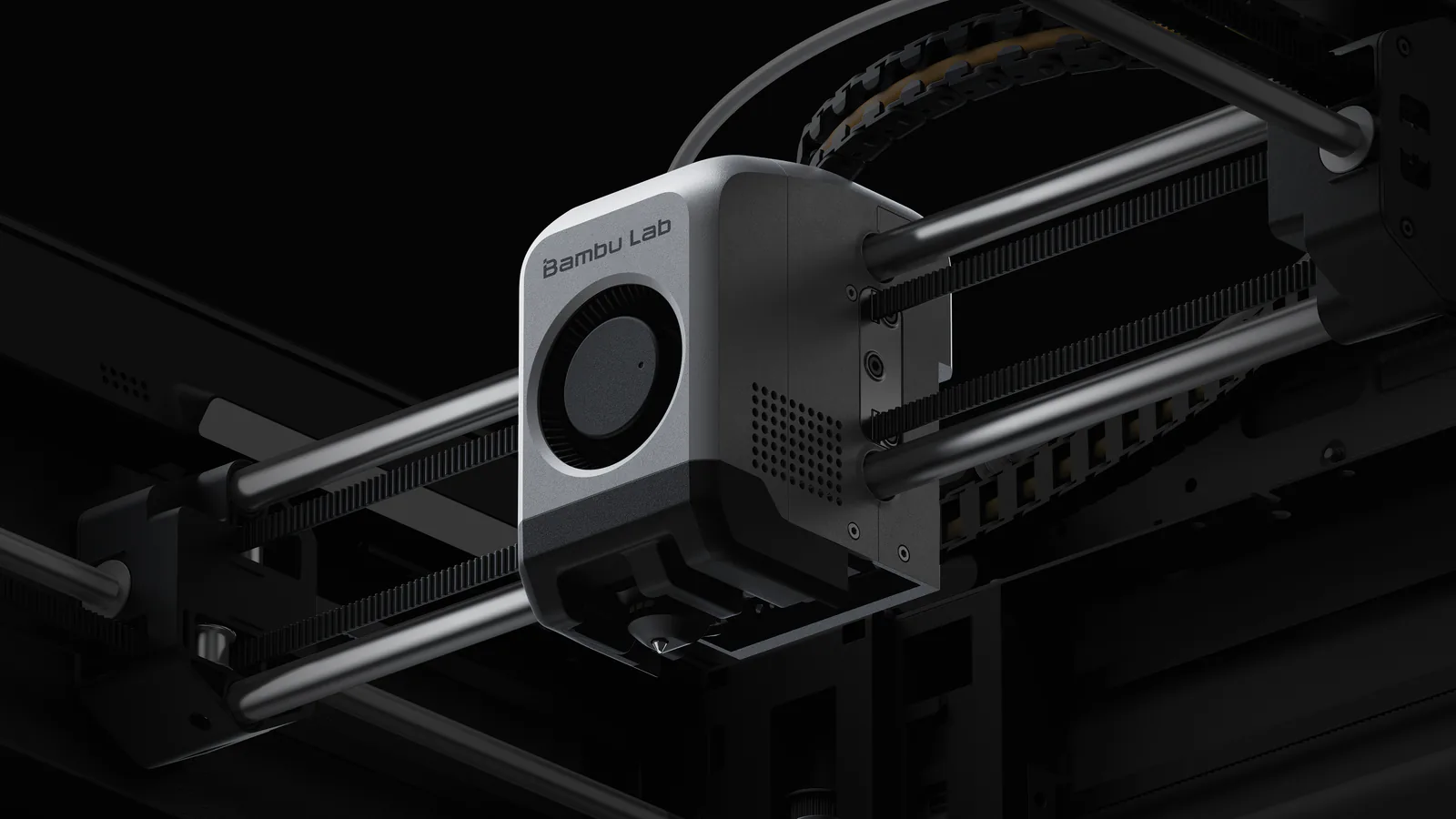
The nozzle and extruder gear are hardened steel, rated to 300°C, and the P2S takes 0.2, 0.4, 0.6 and 0.8 mm nozzles. Fiber filled filaments are fine on the hotend; where one is refused, it is the AMS doing the refusing.
Build volume and print speed
A 256 mm cube on a CoreXY frame, with a toolhead rated at 600 mm/s and 20,000 mm/s² of acceleration. PCMag printed its Benchy in 14 minutes 38 seconds, and Tom's Hardware needed 20 hours for a PETG-CF board. Small parts are quick; big ones still run overnight.
ABS and ASA on the P2S: a passive chamber
The enclosure holds heat and nothing warms it. Bambu says plainly that the P2S has no active chamber heating and manages temperature with a flap that switches between internal and external air. Tom's Hardware ran ABS without trouble, apart from a tiny gap in the layers on one side of one print.
Large ASA is the weak spot. One owner running both machines writes that "larger ASA prints tend to warp in my p2s compared to zero warping on my x2d", and the X2D is the Bambu with a 65°C actively heated chamber. Fumes are the other cost. WIRED found ASA fumes leaking around the door, and an owner notes that there is "no negative pressure" to hold them in. The filter is activated carbon. Put it in a room you can ventilate, or in the garage, which is where another owner's smell problem ended.
Cloud, LAN mode and no Ethernet
The P2S has no wired network port; Bambu's FAQ answers the question with a flat no. It runs on dual band Wi-Fi, and LAN mode works with no internet connection at all, per PCMag. Push notifications need the Bambu Handy app and the cloud. One owner hit an "Invalid printer" error in the app during setup, and two call the ecosystem a walled garden. None of the 58 raises Bambu's firmware authorization change; in this corpus only non-owners do.
Noise, and the bench it needs
PCMag measured an average of 48 decibels, several points quieter than the P1S, and Bambu rates silent mode below 50 at a meter. The motion is what to plan for: at speed it shook WIRED's table hard enough to loosen the legs and throw X-Y axis errors. Give it something heavy and rigid.
P2S vs P1S
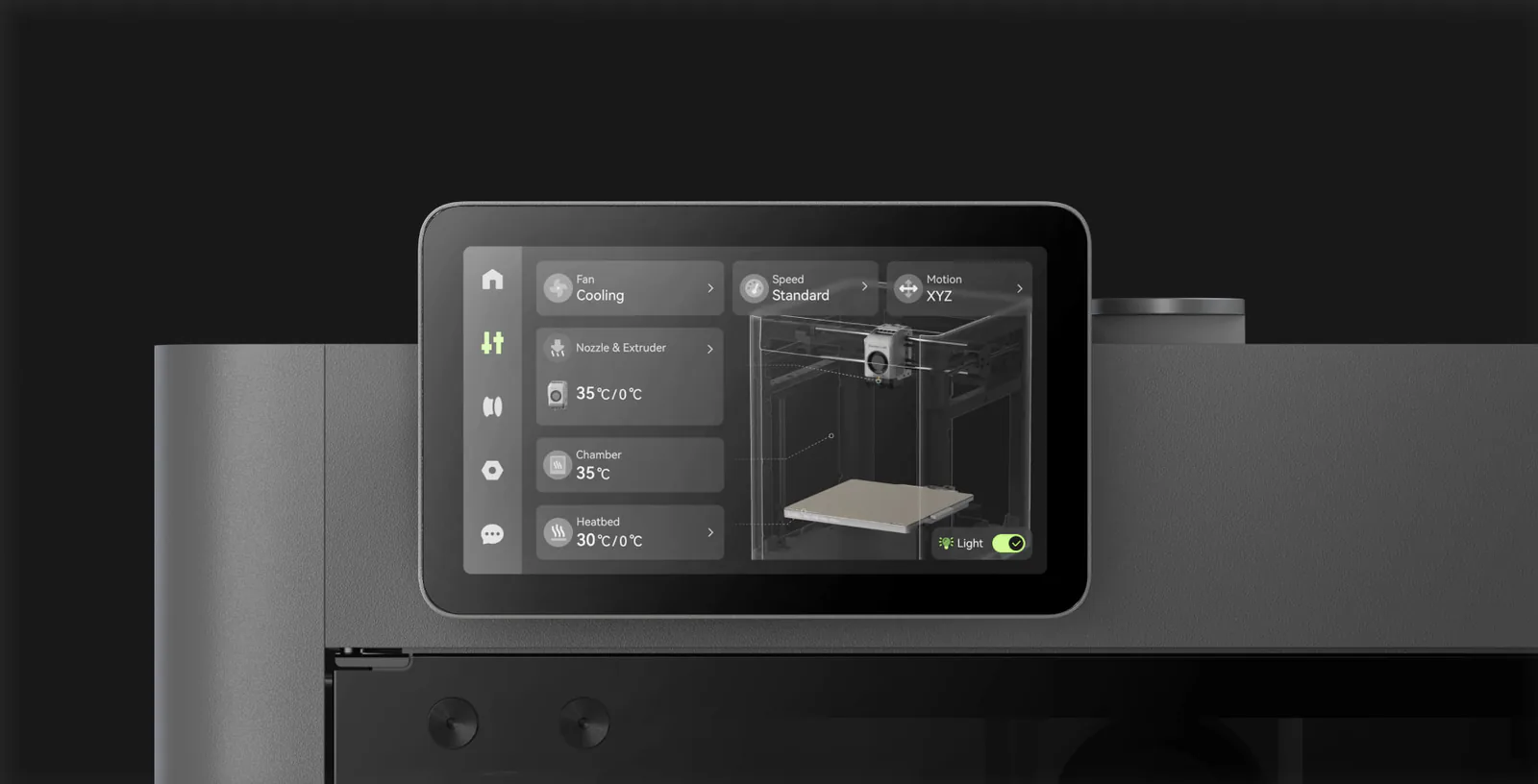
Bambu calls the P2S an upgraded P1S, and says a P1S cannot currently be converted into one. The newer machine adds the touchscreen, the hardened nozzle by default, the quick swap hotend and a 110°C bed. Bambu also says it has no plans to stop selling the P1S, so the older printer stays a choice rather than a clearance item.
If yours works, keep it.
Four owners in the corpus have owned both. One traded the P1S in, another says "the P2S wins hands down", and a third recommends the P2S but would not sell a P1S to get one. The fourth gets more bad prints from the P2S, though they suspect the filament, and finds the P1S "a tad bit faster". If you are buying new, buy the P2S.
P2S Combo vs Snapmaker U1
Opposite answers to the purge problem. The P2S feeds four colors through one nozzle and purges on every change; the U1 carries four complete toolheads and swaps between them. Tom's Hardware timed the U1 at about 10 to 12 seconds a change while a Bambu machine can take 90, and one U1 owner counted 35g of waste in the purge tower across more than 700 changes.
The U1 gives up the P2S's strengths to get there. Without its separate top cover, Snapmaker's own material list stops at PLA, PETG, TPU, PVA and PCTG, though Tom's Hardware got ASA through on the stock machine, and its spools hang in the open with no dryer. Buy the U1 if most of your prints are four color models. Buy the P2S if most are one or two colors, with PETG, ABS or a fiber filled filament in the mix. For parts bigger than the U1's 270 mm cube, neither fits, and the Sovol SV08 Max is the printer on our shelf built for them.
Keeping a P2S printing
Several of the fixes owners describe cost nothing. Use plastic spools in the AMS, or respool cardboard ones, since cardboard is the spool problem that came up twice. Only the textured plate comes in the box, and one owner cleared the few failures they had with a Glacier plate and the smooth plate settings. The toolbox Bambu packs says what you will touch first: a spare silicone sock, an unclogging pin, a nozzle wiping pad, and lubricant oil and grease for the motion system.
A closer look at the Bambu Lab P2S Combo
Made up your mind?